¶ Counter — Sell an Over-the-Counter Item
¶ What you'll be able to do
After reading this guide you will be able to serve a customer at the counter: open a basket, put an
over-the-counter item on it by scanning the barcode or finding it by name, set the quantity, and read back
exactly what the customer will pay — before any money changes hands.
Who does this? The Counter Assistant owns the counter, and every other staffing role can serve at
it too. One thing to know from the start: the till belongs to the operator who opened it. If a colleague
holds it, they hand it over to you before you can start a basket. Selling needs no pharmacist permission —
refunds and voids do (see D5).
¶ Why the counter works this way
The price on the shelf is the price the customer pays. Over-the-counter goods are priced including VAT,
so the app shows the shelf price and works the VAT inside it rather than adding anything on top: a £3.20
item is charged at £3.20. The split is calculated by ERPNext when the sale posts, which is why the app calls
its own running figure an estimate.
The counter is a sales surface, not a clinical one. It shows what is being sold and what it costs —
never prescription clinical detail. Where a prescription charge is due, that is a money line added
separately (see D2).
A basket is a draft. Nothing is posted and no stock moves while you are building it. The sale becomes a
document, and the stock is consumed, only when you post it and take the money (see D3).
¶ Before you start
- The till must be open. If it is not, the Counter screen says No till session is open and points you
at the till. Opening it and closing the day off are covered in D6. - If a colleague holds the till, their session closes and yours opens with the drawer count as your
float — the hand-over is on the Till screen.
¶ Step 1: Open the Counter screen
- Log in to the pharmacy app.
- Click Counter in the top menu.
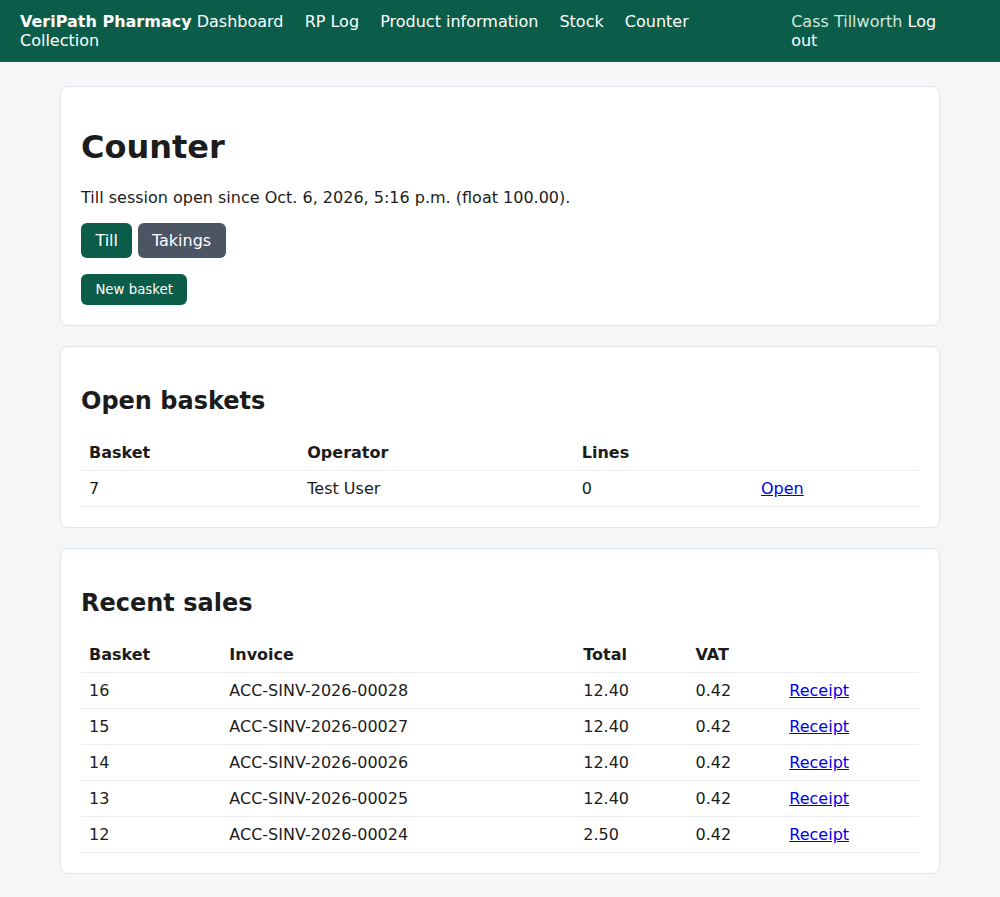
The Counter screen on the test pharmacy, 6 October 2026, as the Counter Assistant: the open till session with its
float, the buttons to the till and the day's takings, and New basket — the start of every sale.
The screen also lists any baskets that are still open, any parked ones, anything awaiting tender, and the
most recent sales, so nothing in progress gets lost between customers.
¶ Step 2: Start a basket
Press New basket. The basket screen opens, empty and in your name.
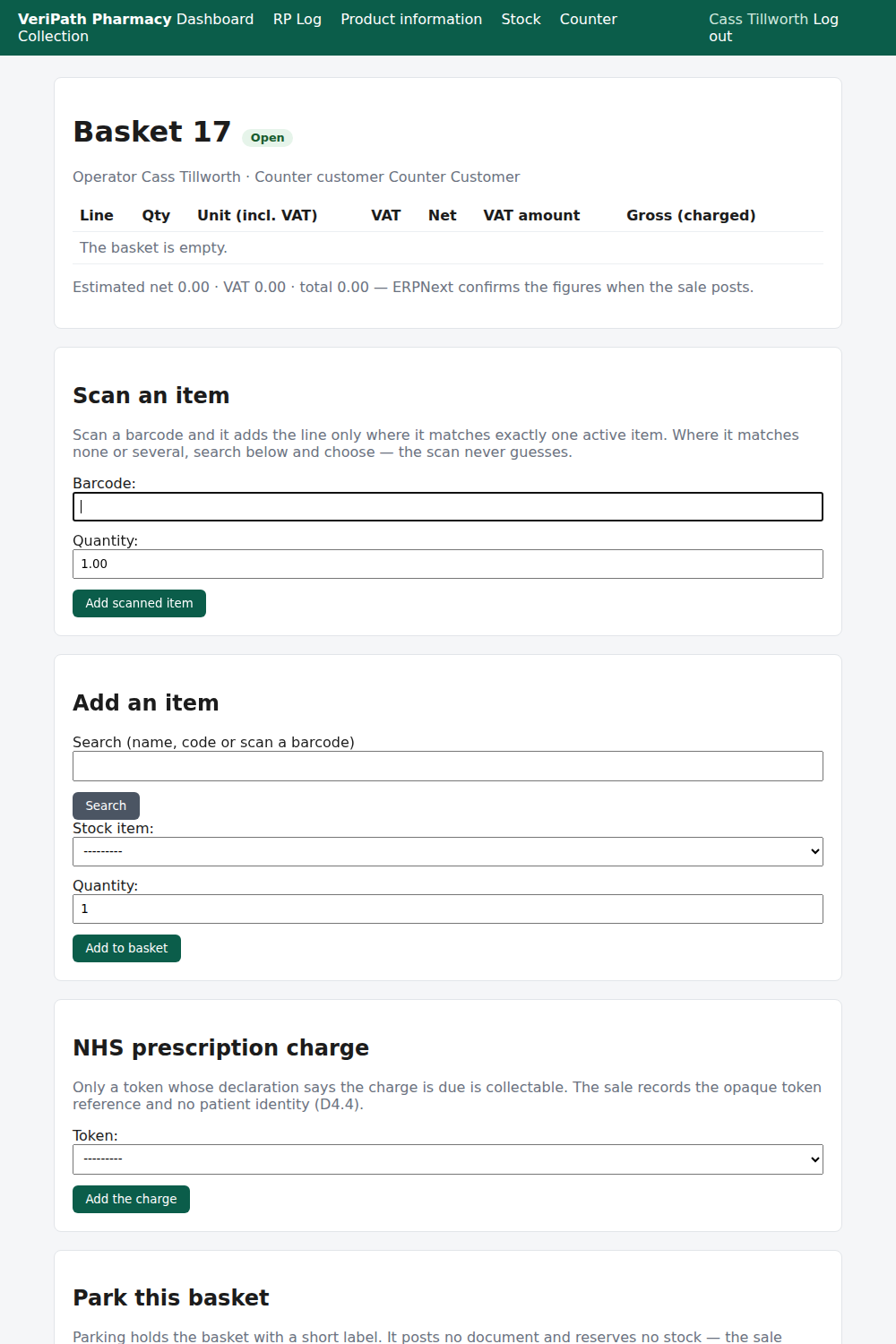
Basket 17, just opened: the operator and the standing counter customer at the top, an empty line table, and the
three things you can do with it — scan, search, or set it aside.
Two things on the screen are worth understanding now:
| On the screen | What it means |
|---|---|
| Operator | You. Every act at the counter carries the name of whoever did it. |
| Counter customer | The standing anonymous customer the sale is recorded against. The counter never records who the customer is — that belongs with the prescription, not the till. |
¶ Step 3: Scan the item
- Put the cursor in the Barcode box under Scan an item — it is ready for a scanner, and it submits
when the scanner presses Enter. - The item is added to the basket straight away.
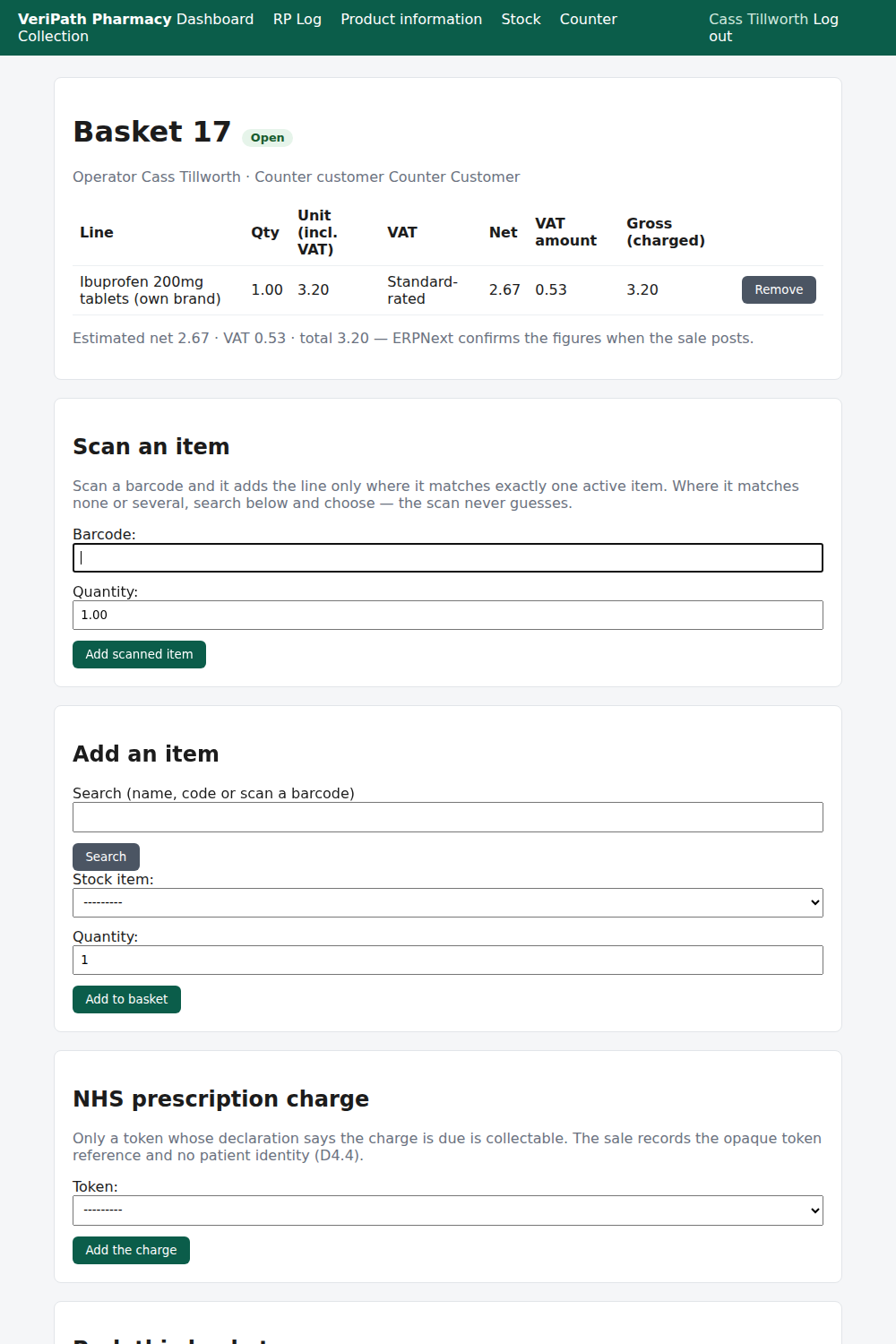
Ibuprofen 200mg tablets scanned on: one at £3.20, standard-rated, with £0.53 of VAT inside the price and a
running estimate of £3.20. The app found the barcode, so it added the line in one act.
The scan never guesses. A barcode that matches exactly one active item adds that line. A barcode that
matches nothing, or several items, adds nothing at all and sends you to the search box below with what
you scanned already typed in — you choose, the app does not.
¶ Step 4: Or find the item by name or code
- Type part of the item's name, its code, or scan into the Search box and press Search.
- The picker below narrows to the matches.
- Choose the item, set the Quantity, and press Add to basket.
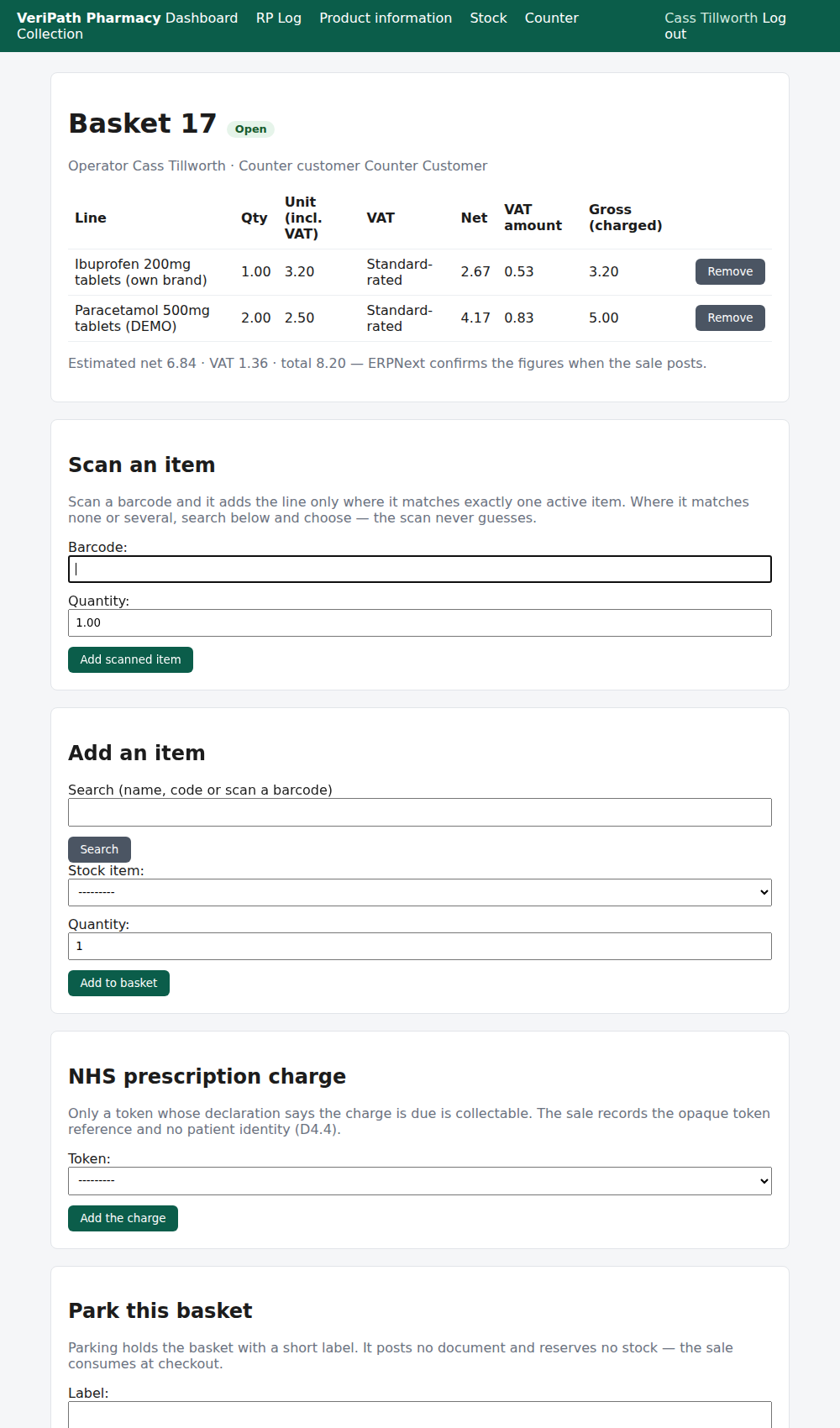
The same basket with a second item added by search: two Paracetamol 500mg tablets at £2.50 each. The estimate has
moved to £8.20 — the shelf prices, with the VAT inside them.
¶ Step 5: Check the lines before you take any money
| Column | What it tells you |
|---|---|
| Line | The item. Everything sold at the counter comes from the pharmacy's own stock list. |
| Qty | How many. |
| Unit (incl. VAT) | The shelf price for one — the price the customer pays. |
| VAT | The band: Standard-rated for retail goods, Zero-rated for the NHS prescription charge. |
| Net | The value of the line with the VAT taken out. |
| VAT amount | The VAT inside the price — not added to it. |
| Gross (charged) | What the customer pays for that line. |
| Remove | Takes the line off. A basket is a draft, so removing a line costs nothing. |
Below the table the app shows its running Estimated net · VAT · total. Treat it as the app's own working
figure: ERPNext confirms the figures when the sale posts, and those are the ones that count.
¶ If the customer steps away
Press Park the basket and give it a short label — "customer fetching a bag" is enough, and a label is
all the app needs; keep it to what the next person needs to recognise the basket.
Parking holds the basket exactly as it is and returns you to the Counter screen, where it appears under
Parked baskets. Resume brings it back. Two things parking does not do: it posts no document and it
reserves no stock — the goods are consumed when the sale completes, so a parked basket is a convenience,
not a claim on the item.
¶ When something is not right
| What you see | What to do |
|---|---|
| The scan added nothing | The barcode matched none or several items. The search box now holds what you scanned — choose the item from the picker. |
| The wrong item went on | Press Remove against the line. Nothing has posted, so nothing needs undoing. |
| The item is not in the picker at all | It is not an active stock item in the pharmacy's list. Ask the pharmacist or the business manager whether it should be — deliveries are recorded against that list. |
| You are told the till is held by someone else | A colleague has an open session. They close it, or hand it over to you on the Till screen, before you can sell. |
| The shelf is empty but the app sells it anyway | The sale warns and records rather than blocking, so the pharmacy's records stay honest. Tell the pharmacist, and let them decide what to do about the stock. |
¶ What happens next
- D2 — add the NHS prescription charge to a basket, where the prescription declaration says the charge is due.
- D3 — take payment and close the sale: post the sale to ERPNext, then record the tender and change.
- D4 — give the customer a receipt, printed or emailed.
- D5 — refund or void a sale: the Responsible Pharmacist's or the Business Manager's job, with a reason.
- D6 — the till and the day's takings: opening the till, the cash-up and the variance.
¶ Related pages
- Pharmacy App Guides — the published guides
- Coverage Plan — every everyday task, and what is published
- Roles and Permissions in the Pharmacy App