¶ Dispensing — The Accuracy Check
¶ What you'll be able to do
After reading this guide you will be able to record the pharmacist's accuracy check on a prescription that has
been assembled, and you will know what the app does — and does not — record at that moment.
Who does this? The accuracy check is a Responsible Pharmacist step, and only a pharmacist can record
it. A Dispensing Technician works the same prescription up to the assembly, but is never offered this step;
if it is asked for directly, the app refuses it. That is a permission setting, not something you can change
yourself.
¶ Why the check is a step of its own
Assembly records what is being supplied (see
Dispensing — Assemble a Prescription). The accuracy
check is the step that follows, and it marks a change of kind: up to this point the prescription is work in
progress, and after it the prescription is fit to be supplied.
The app treats it that way in three respects, and they explain how the screen behaves:
- It is a separate state. The prescription moves from Assembled to Accuracy checked, and the step
cannot be recorded before the quantities are — there is nothing to check until the assembly exists. - Who checked it is recorded separately from who assembled it. The two names are kept apart, even when they
are the same person. - It is a record, not a form. The app does not define what the check consists of, does not ask you for a
result, and does not accept a note. What it records is that the check was made, by whom, and when.
¶ Before you start
- The prescription must be showing the state Assembled — that is the only state the check is offered from.
- Your login must hold the Responsible Pharmacist role.
- Read the Items list on the prescription. That is what the app holds as having been assembled — the
medicine, strength, dosage, quantity prescribed and quantity supplied per line — and it is the record your
check is made against. - If the prescription may need to be handed back rather than supplied, act before the check: see
Release claim disappears once the check is recorded, below.
¶ Step 1: Open the prescription
- Log in to the pharmacy app.
- Click Dispensary in the top menu.
- Under In progress, find the prescription and click Open.
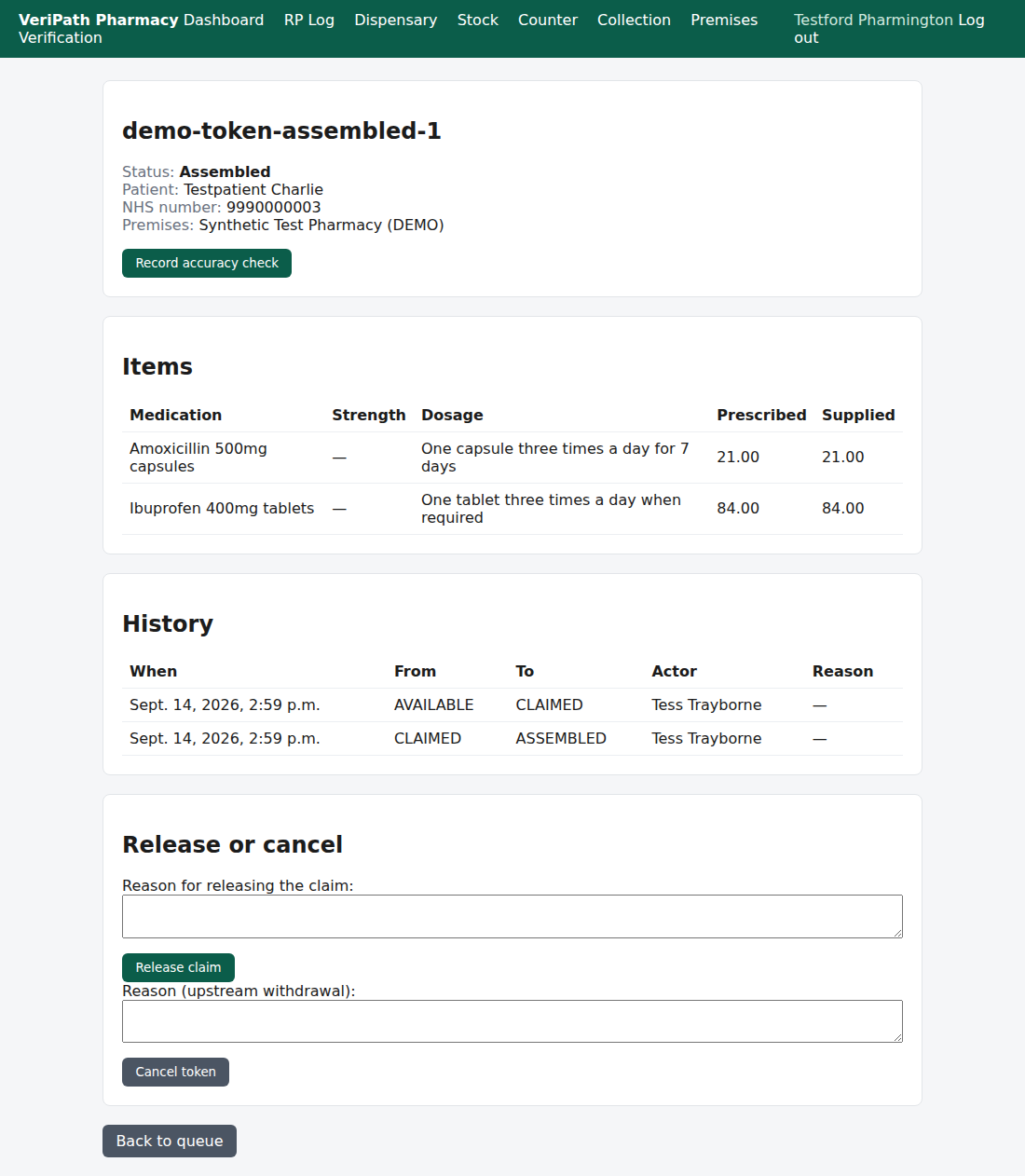
An assembled prescription, opened as the Responsible Pharmacist. The state reads Assembled, every item
shows the quantity supplied, and Record accuracy check is offered alongside the release and cancel actions.
¶ Step 2: Record the check
There is no separate screen for this step. The check is recorded by the button on the prescription's own
page, so what follows is one action:
- Work the check in the usual way, against the items the prescription shows.
- Click Record accuracy check.
- The app records the step there and then, and returns you to the prescription page with a green banner:
"Accuracy check recorded."
Two things are worth knowing before you click:
- It records on the click. There is no form to fill in and no confirmation step, so the button press is
the record — and it is recorded against your name. - It cannot be taken back. The prescription's history is append-only: a check recorded in error stays in
the history, and from Accuracy checked the prescription can only be cancelled, not released.
¶ Step 3: What happens next
On the prescription's own page the state now reads Accuracy checked, and the actions have narrowed:
- Dispense — the next step, and again a pharmacist's (see Dispense a Prescription, B4).
- Cancel token — still offered, for a prescription that has been withdrawn and must not be supplied.
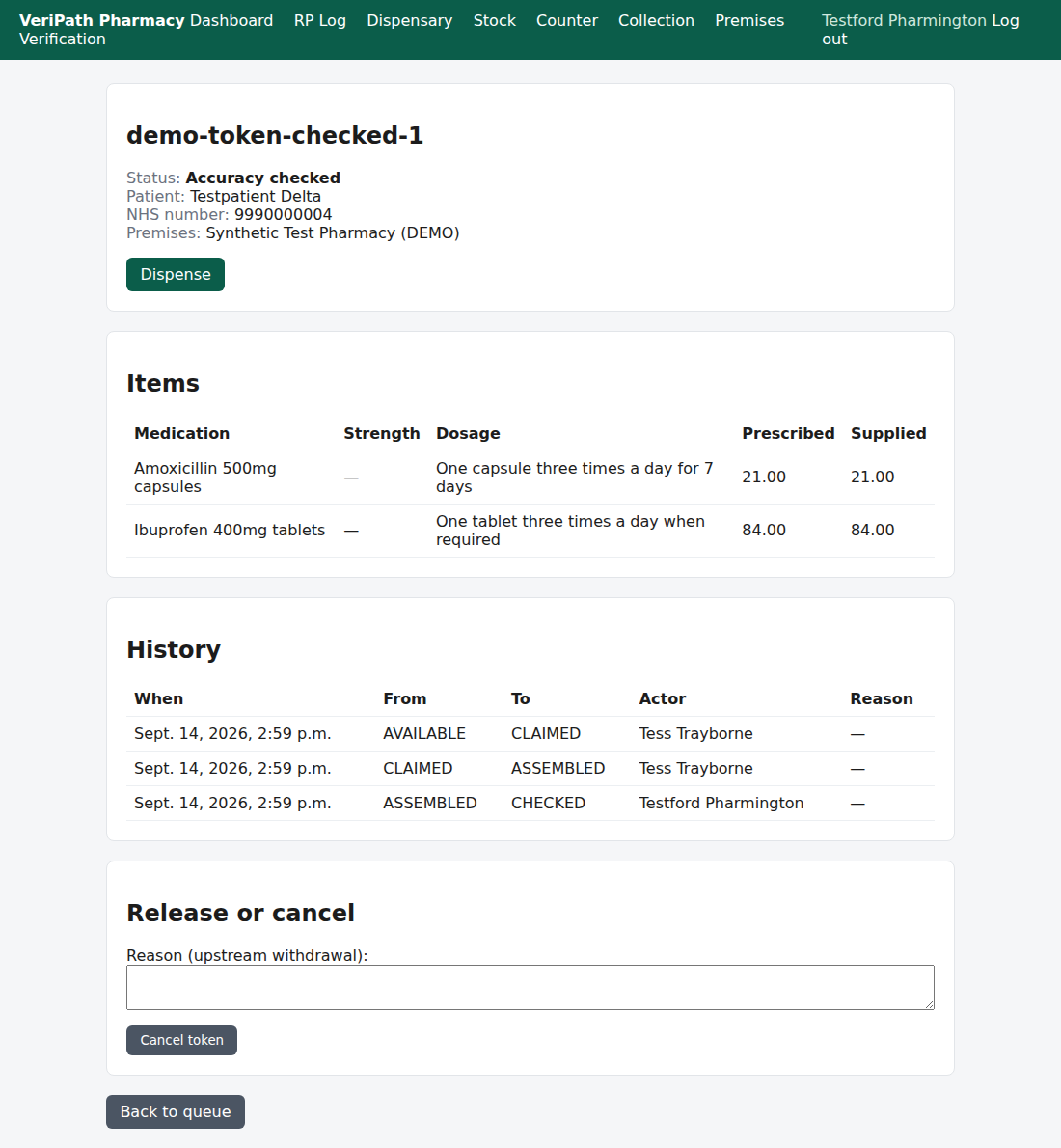
After the check: the state reads Accuracy checked, Dispense is the next step, and the actions have
narrowed to dispensing and cancelling — the Release claim form is no longer shown.
Release claim disappears once the check is recorded. A prescription can be handed back to the spine while
it is Claimed or Assembled. Once the accuracy check has been recorded that is no longer offered, and
only Cancel token remains if the prescription has to be stopped. If you may need to release the claim,
do it before this step.
¶ The Technician's view of the same prescription
Assembly and the check are deliberately one-sided: the Technician does the work up to the assembly, and the
pharmacist records the check. The app is consistent about it — the step is not merely hidden, it is refused.
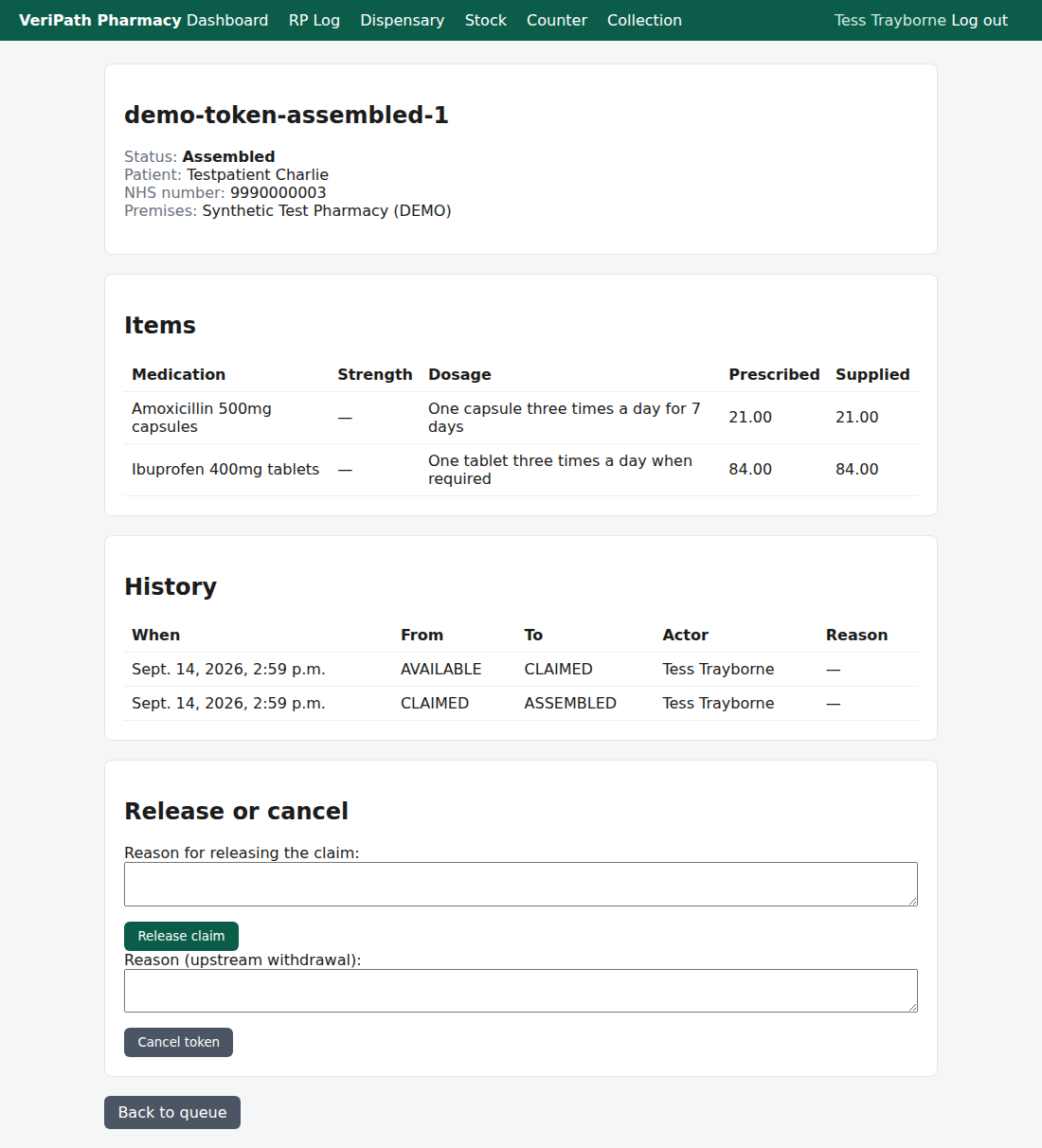
The same assembled prescription opened by a Dispensing Technician: the state, the items and the history are
all visible, but there is no accuracy check to record. The release and cancel actions are still available to
them.
¶ If it doesn't work
| What you see | What it means |
|---|---|
| No Record accuracy check button | Either the prescription is not yet Assembled, or your login is not a pharmacist's. A technician's login will show the prescription without this action. |
| "accuracy_check requires the token to be ASSEMBLED (it is CHECKED)." | The check has already been recorded — by you or by another pharmacist — or your copy of the page was open while it happened. Nothing was recorded. Open the prescription and read History to see who did what. |
| "accuracy_check requires one of: PHARMACY_RESPONSIBLE_PHARMACIST (actor role is …)." | The step was asked for by a login that is not a pharmacist's. The role is checked by the app itself, not only hidden in the page. |
| You are taken to the premises screen | The pharmacy has no premises profile yet. That is completed once, at setup — speak to your Business Manager. |
Only the button writes anything, so a refused check needs no tidying up.
¶ What the record keeps
- A history row on the prescription: the time, the move from ASSEMBLED to CHECKED, the name of the
pharmacist who recorded it (recorded at the time, so a later change of name does not rewrite history) and no
reason — the check carries no note. - The checker, held separately from the assembler. Both names stay on the prescription, and the app does
not prevent the same person recording the assembly and the check. - An audit entry for the action and the person, with no clinical content.
Two things the check does not do: it does not move stock, and it does not notify the patient. Stock is
consumed when the prescription is dispensed, and the collection notification follows the dispense as well.
¶ Related
- Dispensing — Assemble a Prescription — the step before
this one - Dispensing — Claim a Prescription — where the work starts
- Coverage Plan — the guides and what is left to write
- Dispense a Prescription — the next step, pharmacist only (B4)
- Release or Cancel a Claim — handing a prescription back (B6)
- Roles and Permissions in the Pharmacy App — who can
reach the dispensary