¶ Counter — The Till and the Day's Takings
¶ What you'll be able to do
After reading this guide you will be able to open the till for the day, read what the session has taken,
count the drawer and close the day with its variance, and hand the till over to the next operator.
Who does this? Every staffing role can staff the counter, but the till session belongs to the
person signed in. One session is open at a time: the operator who holds it serves the baskets, is
named in every act, and is the one who closes the day. A change of operator is a handover, not a
second till.
¶ Why the till works this way
The till is per operator, not per screen. The open session records who opened it and for how long.
When the counter changes hands, the drawer is counted together and the counted figure becomes the
incoming operator's float — the switch is recorded as a handover in its own right, so the audit does not
have to guess it from an adjacent close and an open.
Expected cash counts only cash, on sales that still stand. What the drawer should hold is the float
you started with plus the cash you have taken; money taken by card was never in the drawer, so it is
never part of that figure. A sale that has been reversed (D5) stops counting too.
The variance is reported, never smoothed. The app compares what you counted with what it expected and
shows the difference. Record the drawer as it is: a variance is a fact about the day, and a count
adjusted to make it zero destroys the only evidence there was.
The VAT on the takings comes from the books. The takings read the VAT from the sale invoices submitted
to ERPNext — the till does not compute its own.
¶ Before you start
- The float you are starting the day with — what is in the drawer before any sale.
- The day's work finished or accounted for: baskets parked or closed, and every posted sale either
tendered or left deliberately under Awaiting tender (D3).
¶ Step 1: Open the till
Go to Till from the counter. When no session is open the screen says so and shows the form — put the
Opening float in and press Open the till. The app confirms with Till session opened.
Until a session is open, the counter will not sell: its front page reads No till session is open. Open
the till before selling.
¶ Step 2: Your session and the takings so far
While you hold the till, the Till screen shows your session, what it has taken so far, and the cash-up
form for the end of the day.
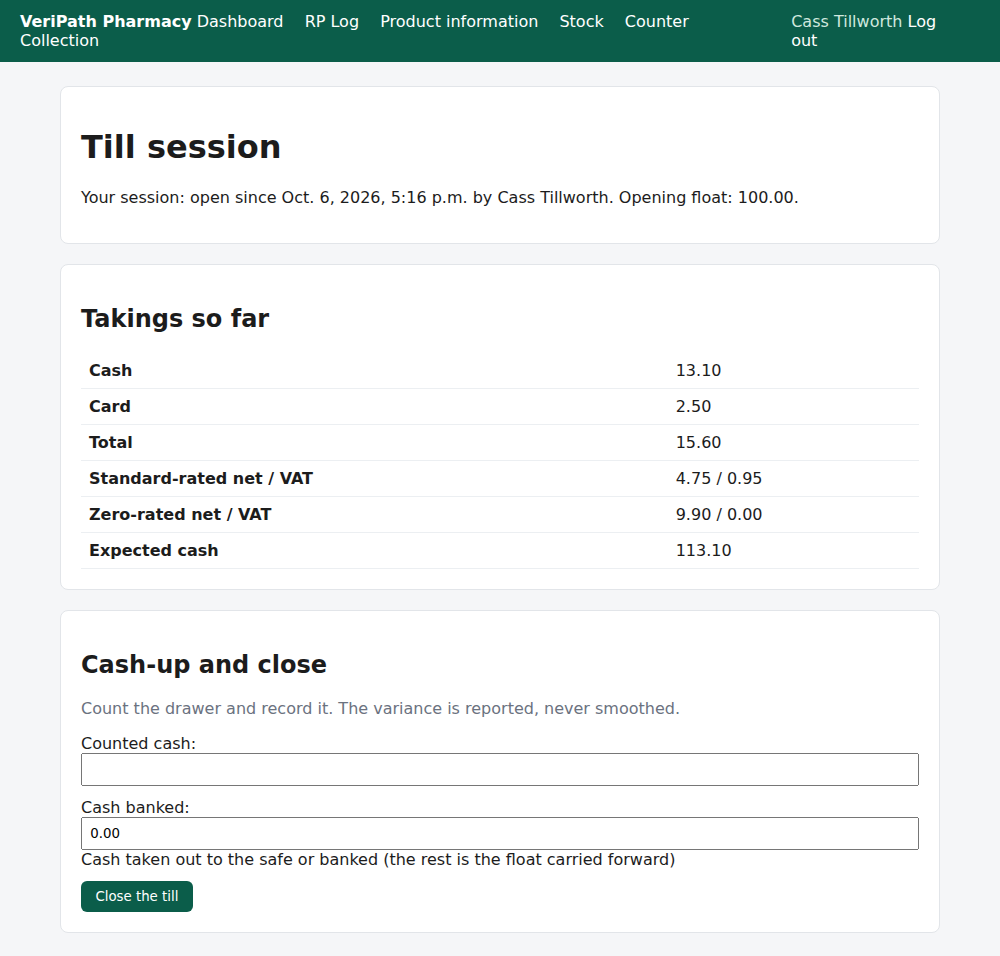
The Till screen on the test pharmacy, 6 October 2026, as the till holder: the session opened by Cass
Tillworth with an opening float of £100.00, the Takings so far — £13.10 cash, £2.50 on a card,
£15.60 in total, the VAT split by band — and Expected cash of £113.10: the £100 float plus the cash
taken. At the foot, the Cash-up and close form, ready for the end of the day.
| On the screen | What it tells you |
|---|---|
| Cash / Card / Total | What the session has taken, by how it was paid. |
| Standard-rated net / VAT | The goods and the VAT inside their prices. |
| Zero-rated net / VAT | The NHS prescription charges collected (D2) — no VAT in them. |
| Expected cash | What the drawer should hold: your float plus the cash taken. Card money never counts towards it. |
¶ Step 3: Read the day's takings
Takings shows the same session in full, by tender method and VAT band, with the reversals at the
foot.
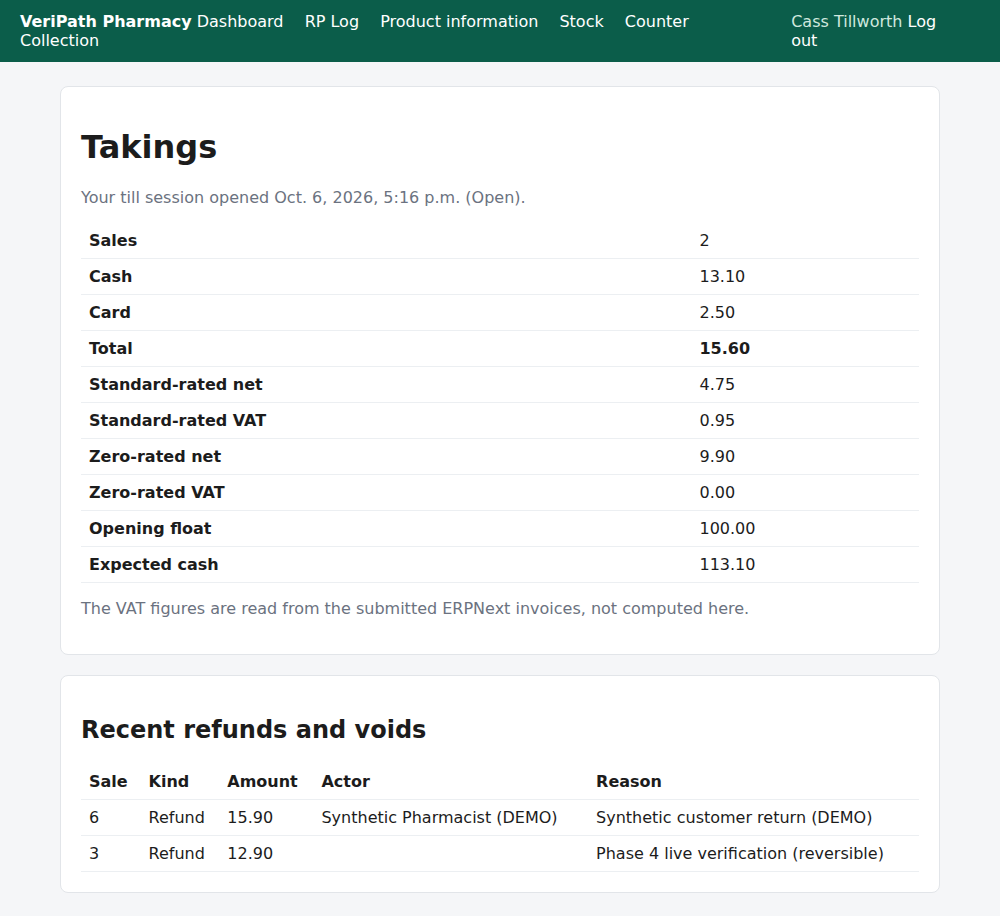
The takings view for an open session, taken while two sales stood: the sale count, cash and card
totals, the VAT figures read from the submitted invoices, the opening float and Expected cash. At
the foot, Recent refunds and voids holds the most recent reversals recorded on the counter — here two
from earlier sessions, which is why their amounts are not this session's.
¶ Step 4: Count the drawer and close the day
At the end of the session, count the drawer and record it in the Cash-up and close form on the Till
screen:
- Counted cash — what is actually in the drawer.
- Cash banked — what you are taking out to the safe or the bank. Whatever is left is the float
carried forward to the next session. - Press Close the till. The app confirms with Till session closed; the cash-up variance is on the
takings view.
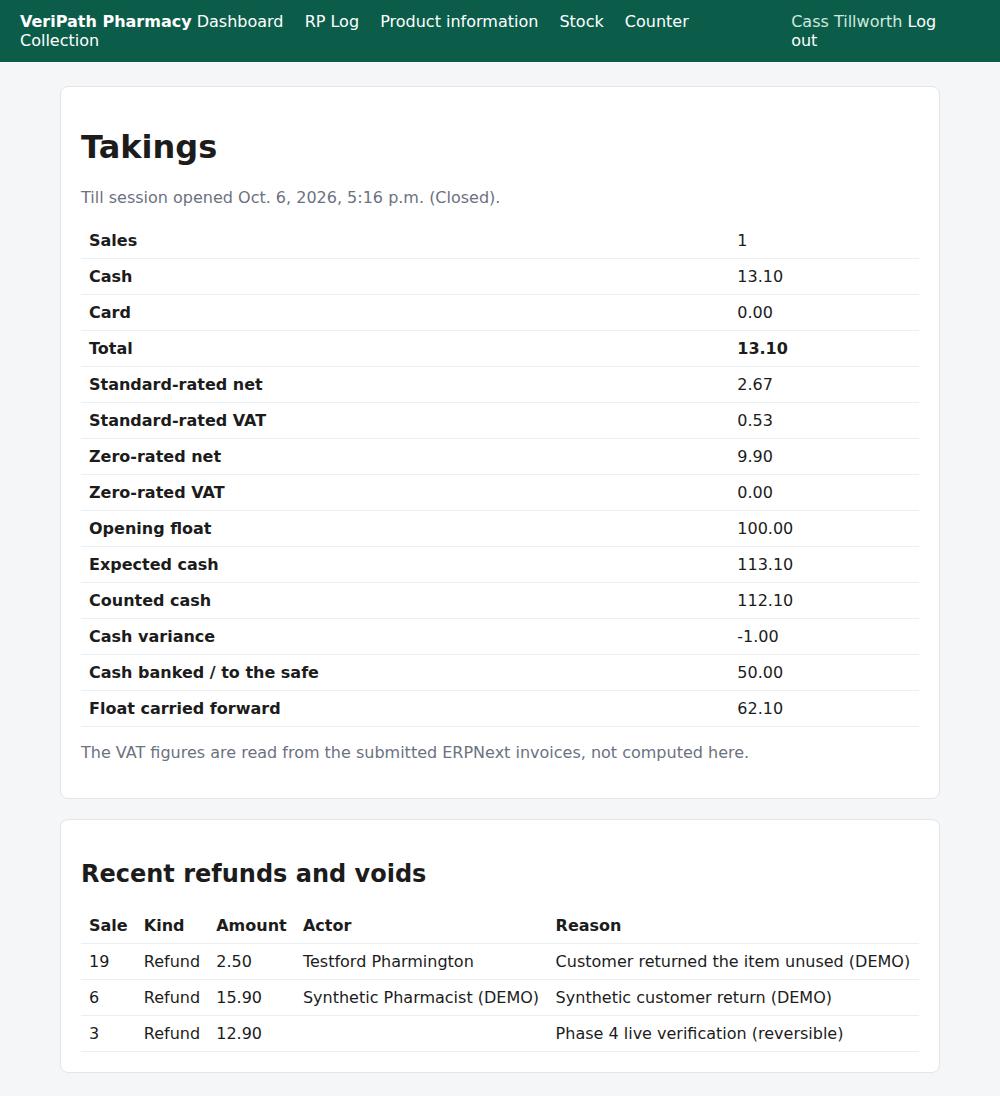
The day closed: 1 sale standing (£13.10 cash — the card sale was reversed during the day and no longer
counts), Counted cash £112.10 against Expected cash £113.10, so the Cash variance reads
−1.00 — reported, not smoothed. £50.00 was banked and £62.10 carried forward as the next float.
The reversal is listed at the foot.
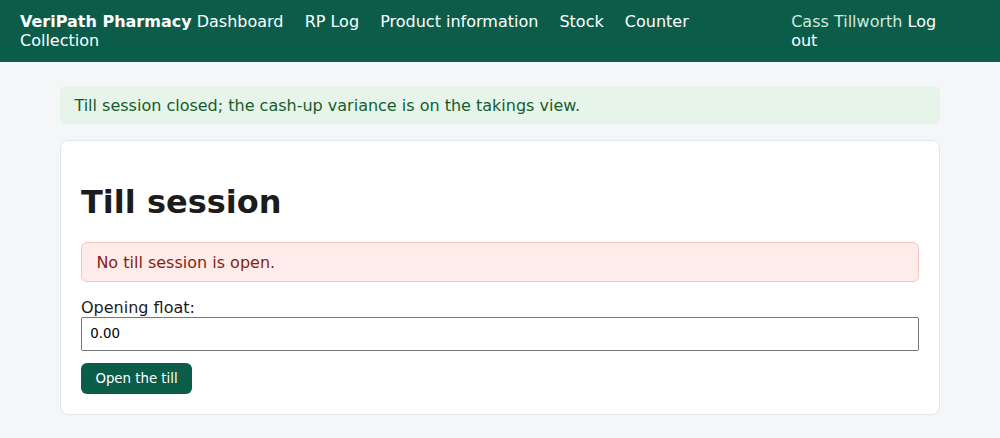
After the close: the till reports Till session closed; the cash-up variance is on the takings view.,
reads No till session is open, and offers the form to open the next session — the next day starts with
the float that was carried forward.
¶ If a colleague holds the till
You cannot open a session while someone else holds it — the Till screen names them and offers the
handover instead.
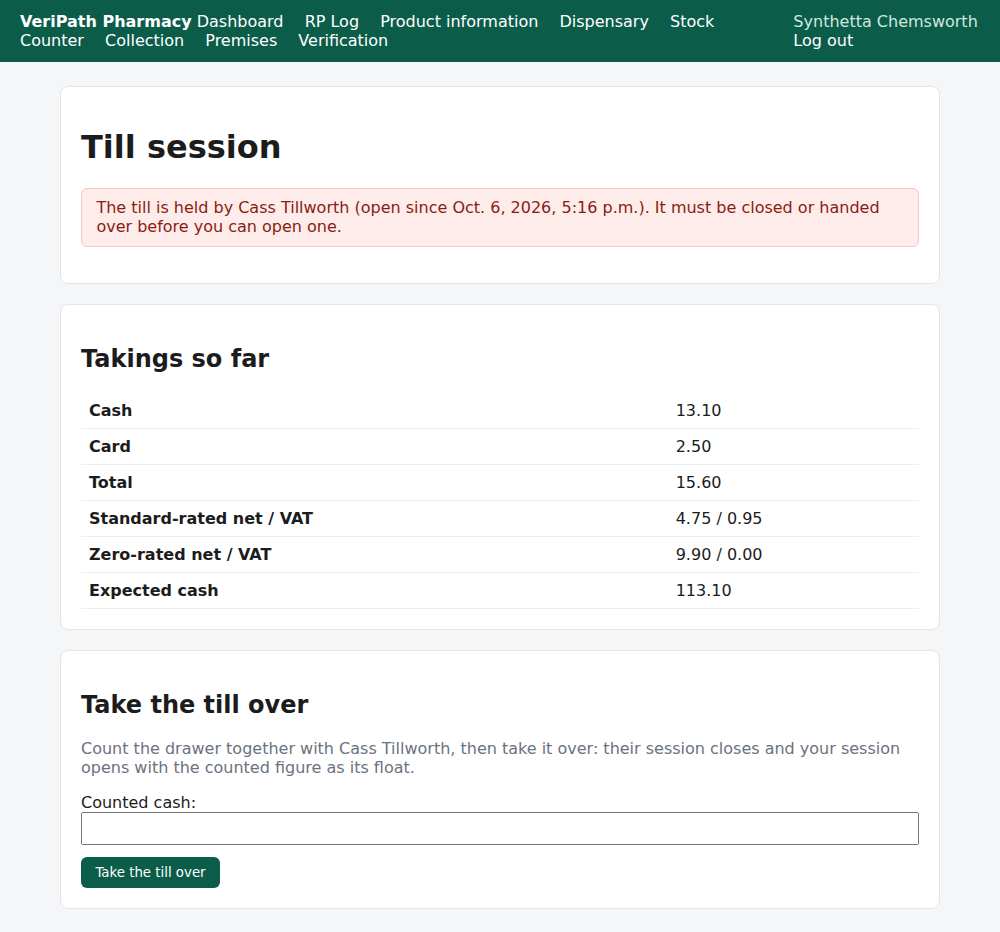
The Till screen as a second operator: The till is held by Cass Tillworth (open since 17:16), with
the note that it must be closed or handed over first — and the Take the till over form. Counting the
drawer together and taking it over closes their session with that figure and opens yours with it as your
float.
¶ When something is not right
| What you see | What to do |
|---|---|
| No till session is open. Open the till before selling. | Nobody is holding the till. Open a session, with the float in the drawer. |
| The till is held by . They must close it (or hand it over) before you can open a session. | A colleague's session is still open. They close the day, or you take the till over from the Till screen. |
| You already have the open till session. | This is your own session — you are not locked out of it. Use it, or close it at the end of the day. |
| There is no open till session. | There is nothing to close. The day is already closed. |
| This till session is already closed. | The session was closed a moment ago (perhaps twice over). Nothing to do; read the takings view. |
| The cash variance is not zero | Record the drawer as counted and tell the business manager what you found. Do not adjust the count to hide it — the variance is the record. |
| The card total is not in the expected cash | Correct: only the cash you took can be in the drawer. Card takings appear in the takings as their own figure. |
| Yesterday's sale is missing from the takings | The takings are the session's, not the calendar day's. Check the session's opening time; a sale reversed during the session also drops out (D5). |
| Someone elsewhere needs the till | Take it over from the Till screen — do not open a second session; the app allows only one. |
¶ What happens next
- D5 — refund or void a sale. Why a reversed sale stops counting towards the takings.
- D3 — take payment and close the sale. The tenders that make up the takings.
- D1 — sell an over-the-counter item. Opening baskets under the session you hold.
¶ Related pages
- Pharmacy App Guides — the published guides
- Counter — Take Payment and Close the Sale — D3, the tender and change
- Counter — Refund or Void a Sale — D5, reversals
- Coverage Plan — every everyday task, and what is published
- Roles and Permissions in the Pharmacy App