¶ Collection — Hand a Prescription Over and Record the Collection
¶ What you'll be able to do
After reading this guide you will be able to find a prescription that is waiting to be collected, hand it
to the patient, and record what happened — collected, or returned to the shelf — so the pharmacy's record
matches what actually left the counter.
Who does this? All four staffing roles — this is the Counter Assistant's everyday job, and the
pharmacist, technician and business manager do it too. The list is the same for everybody; what differs
is what else each role can reach from it (see Step 1).
¶ Why the handover is recorded here
Dispensing is never edited. The prescription was dispensed (the pharmacist's act, and the declaration
that goes with it) and that record stays exactly as it is. Handing it over adds a separate record: what
happened, when, and who recorded it. That is why a prescription can have exactly one handover outcome.
One outcome per prescription. Collected — it went to the patient. Returned to the shelf — it did
not, and the stock is going back. The app will not record a second outcome against the same prescription.
The handover record is not a stock movement. Returning to the shelf here records the decision; moving
the stock back is a stock adjustment, done on the Stock screens with its own reason (C4). The collection
screen never moves stock by itself.
The list is what is still out there. The Collection screen holds every prescription this pharmacy has
dispensed or endorsed and has no handover record yet, newest first, with whether the patient was
notified.
¶ Before you start
- The prescription must have been dispensed. One still in the dispensary is not on this list yet.
- Find the prescription by its reference or the patient's name — both are on the list.
¶ Step 1: Open the Collection screen
Click Collection in the top menu.
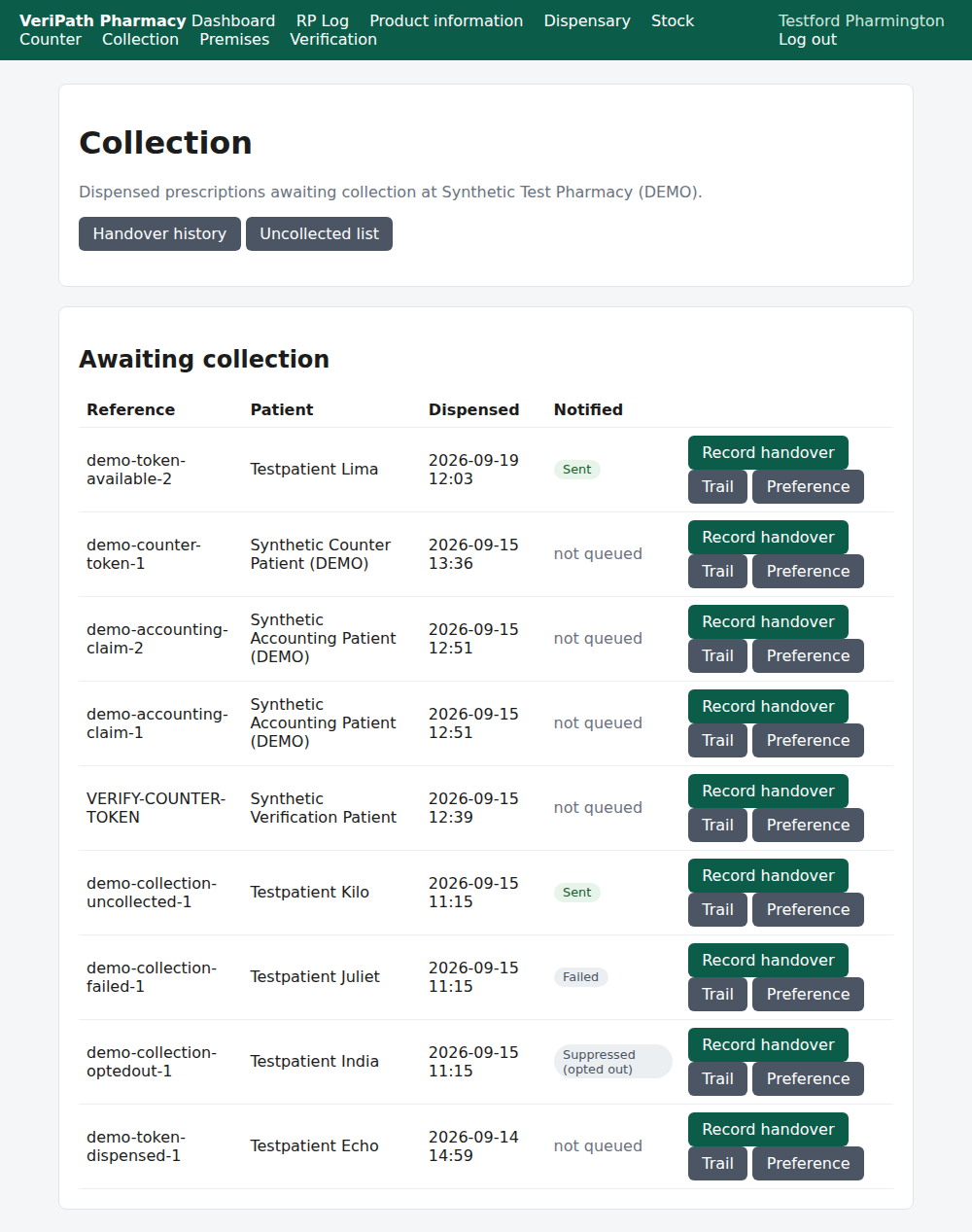
The Collection screen on the test pharmacy, 6 October 2026, as the pharmacist: the prescriptions awaiting
collection with their reference, patient and the date the record was last worked, the Notified pill,
and Record handover on every row — with Trail and Preference beside it for the roles that
handle patient contact.
| On the screen | What it tells you |
|---|---|
| Reference | The prescription's own reference — how the pharmacy identifies it. |
| Patient | The name on the prescription. |
| Dispensed | The date shown against the record. |
| Notified | What happened to the collection-ready message: Sent, Failed, Suppressed (opted out), or not queued. |
| Record handover | Opens the handover form for that prescription. |
| Trail and Preference | The notification trail and the patient's contact preference — for the pharmacist, technician and business manager only. |
The Counter Assistant's screen is the same list with the handover as their only action:
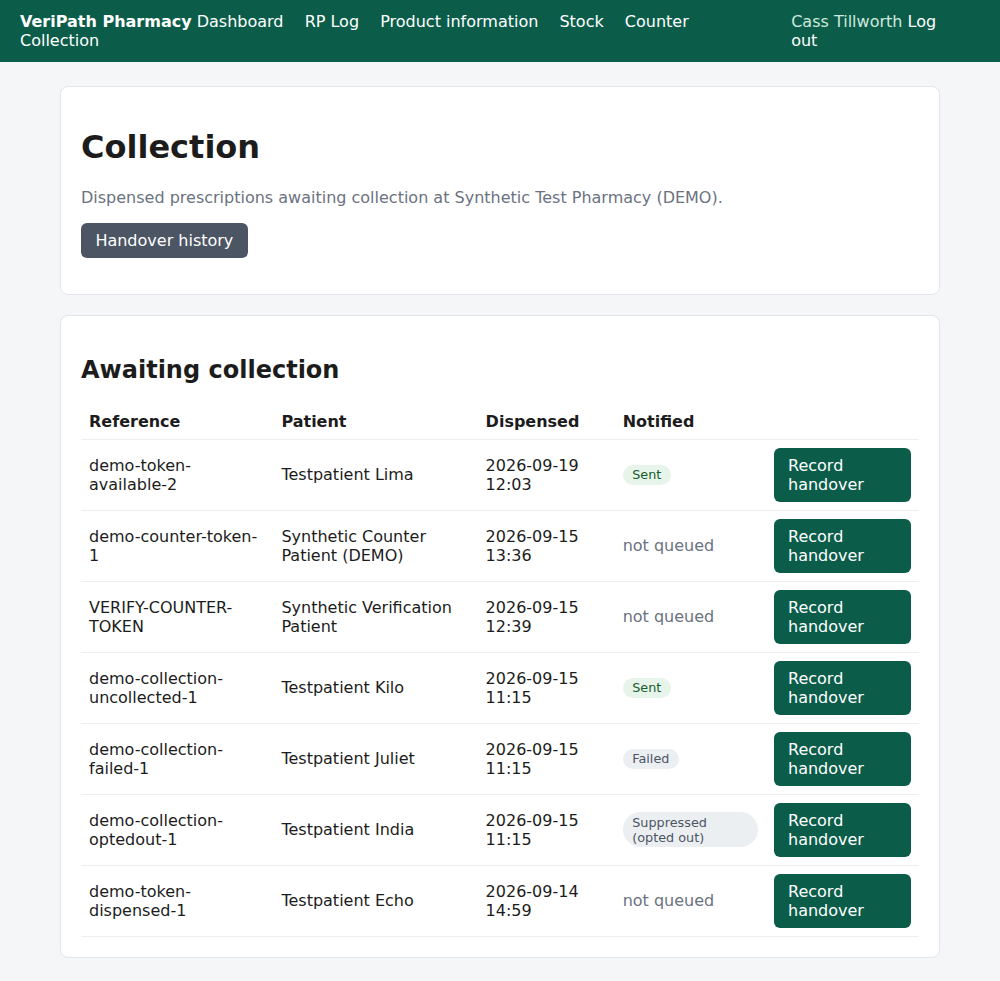
The same list as the Counter Assistant: Record handover on every row, no Trail and no
Preference, and no Uncollected list button at the top. The counter hands prescriptions over; it
does not handle patient contact details.
The Handover history button at the top lists what has already been recorded.
¶ Step 2: Record the handover
Press Record handover on the prescription's row. The screen names the patient and the prescription so
you can check you have the right one, and shows whether the patient was notified.
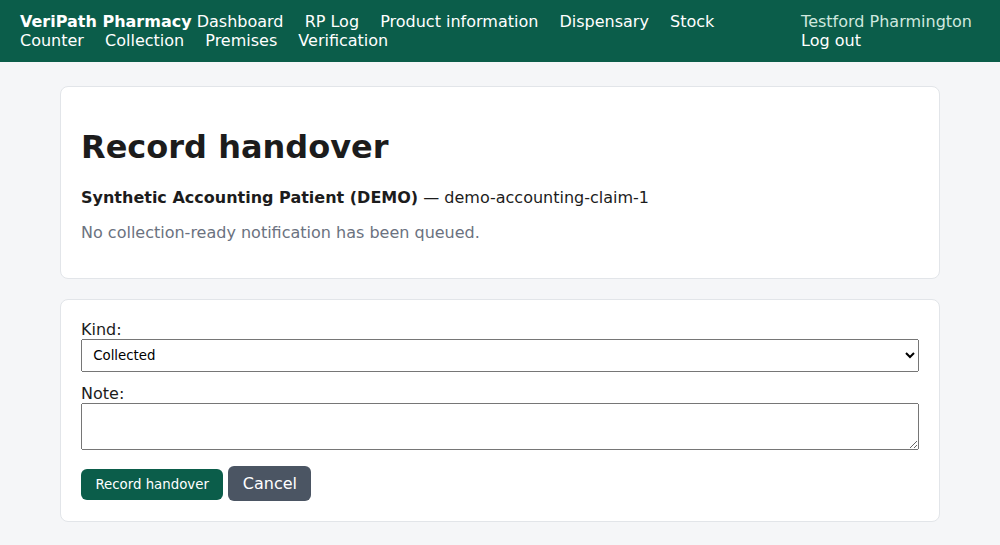
The handover screen: the patient and reference at the top, then the outcome — Collected or
Returned to the shelf — with a Note box for anything the next person needs to know.
- Choose the Kind: Collected or Returned to the shelf.
- Add a Note if it helps — "collected by the patient's daughter", "not collected; back on the
shelf". It is optional. - Press Record handover.
The app confirms with Handover recorded. and returns you to the list, where the prescription is gone —
it has an outcome now.
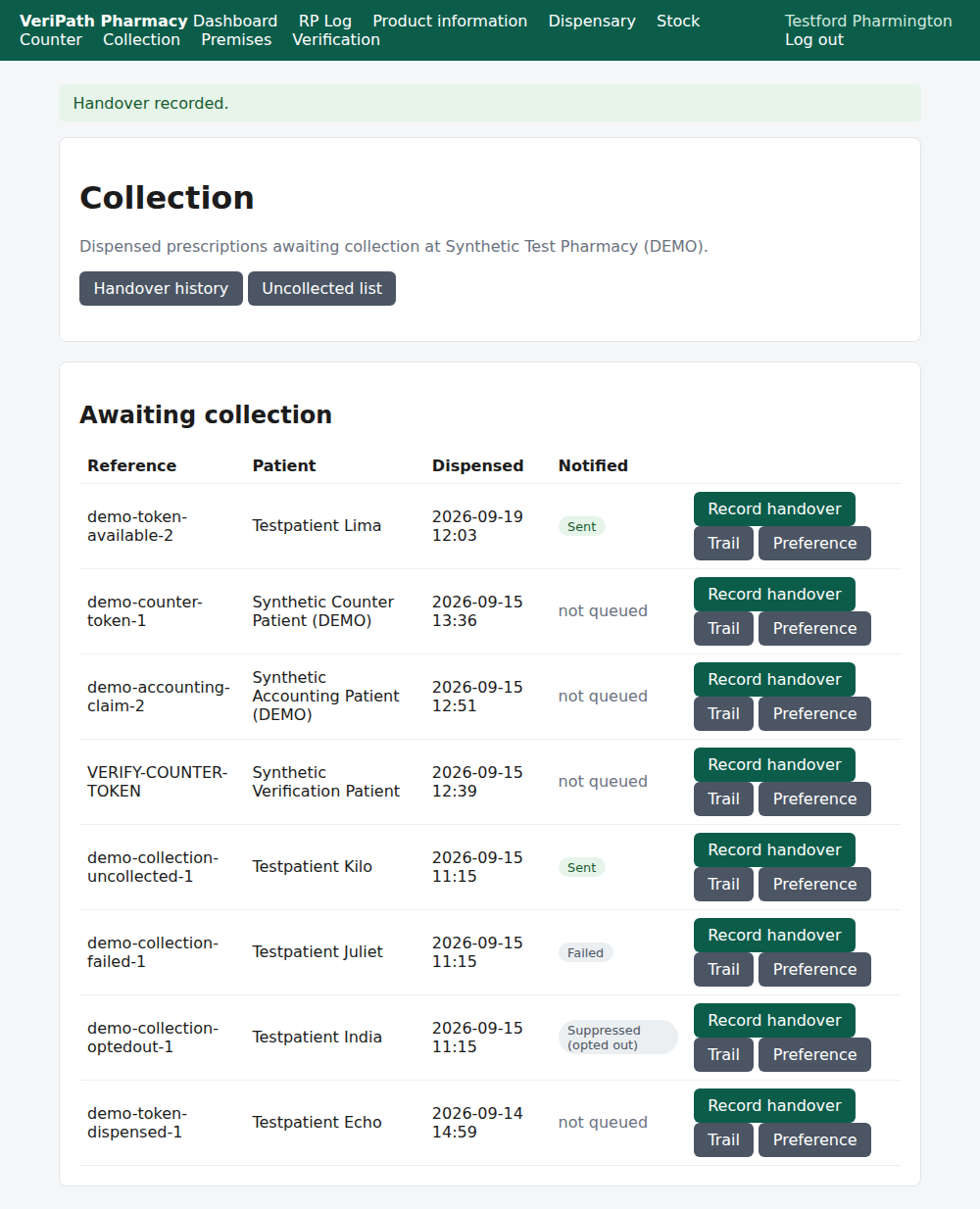
The handover recorded: the prescription has left Awaiting collection. The others are untouched.
¶ Step 3: Look back at the handovers
Press Handover history for every recorded handover at this pharmacy, newest first.
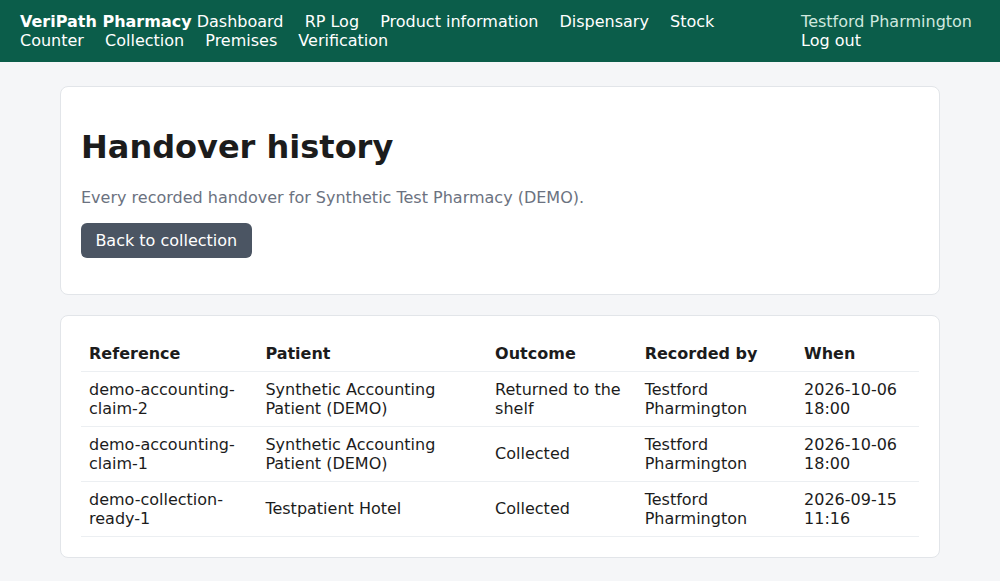
The history: the prescription, the patient, the Outcome, who recorded it and when. Both outcomes
appear here — a collection and a return to the shelf.
¶ When something is not right
| What you see | What to do |
|---|---|
| This prescription already has a handover record. | Someone has already recorded what happened to it. Check Handover history before doing anything else. |
| Only a dispensed prescription can be recorded as collected. | The prescription has not been dispensed yet (or its claim was released). It is not the counter's to hand over. |
| The prescription is not on the list at all | Either it has already been handed over (look in Handover history), or it has not been dispensed yet — ask the dispensary. |
| The date beside a prescription differs from the one on the Uncollected list | The two screens date the row differently: this one shows when the record last changed, the uncollected list shows when it was dispensed. For an age, trust the uncollected list. |
| You recorded Returned to the shelf but the stock still shows as on hand | The handover record does not move stock. The stock goes back with an adjustment on the Stock screens (C4). |
| You picked the wrong outcome | The record cannot be changed or deleted; it is append-only. Tell the pharmacist or business manager what happened so the picture stays right. |
| The patient wants to know whether they were messaged | The Notified pill says what happened; the pharmacist, technician or business manager can open the Trail for the detail (E4). |
¶ What happens next
- E2 — see which prescriptions are ready but uncollected. The same ground, aged.
- E3 — send or resend a collection notification. The message that told the patient it was ready.
- E4 — the delivery trail. Whether the patient was told, and what happened to the message.
- C4 — record an adjustment. Returning the stock to the shelf, with a reason.
¶ Related pages
- Pharmacy App Guides — the published guides
- Coverage Plan — every everyday task, and what is published
- Dispensing — Dispense a Prescription — the act that precedes the handover
- Roles and Permissions in the Pharmacy App