¶ Counter — Refund or Void a Sale
¶ What you'll be able to do
After reading this guide you will be able to reverse a sale that has already been completed: record that
the goods came back (a refund) or that the sale should never have stood (a void), give the reason,
and see what the reversal does to the books, the stock and the day's takings.
Who does this? The Responsible Pharmacist or the Business Manager — nobody else. The
Counter Assistant does not see the Refund or void button on a sale, and the reversal screen refuses
them if they reach it.A reversal is not a counter decision. Nothing at the counter can quietly undo a sale; the reversal
is a recorded act with a name and a reason against it.
¶ Why a reversal works this way
The sale itself is never edited. A completed sale is left exactly as it was, and the reversal is
appended to it — who reversed it, when, which kind, how much, and why. That is why the record stays
readable as history rather than as a corrected total.
Both kinds cancel the same documents. Recording a reversal cancels the sale in the books — the
payment first, then the invoice — and, where the goods come back, returns the consumed stock to the
batch it was taken from.
Refund and void differ in what they mean, not in what the app does. A refund says the goods came
back; a void says the sale should not have stood. Both leave the sale reading Voided; which one it
was is recorded on the reversal itself, with the reason.
The day's takings follow the reversal. The reversed sale stops counting towards the session's
takings — the takings show what stands, and the reversal is listed there under Recent refunds and
voids.
A reversal cannot itself be reversed. If the sale should stand after all, sell the items again as a
new sale.
¶ Before you start
- Only a completed sale can be reversed. A basket still in progress, or a sale awaiting tender, is
not a sale yet — take the tender or cancel the basket instead. - Have the reason ready. It is required, it is stored, and it is the line a later reader will depend
on: "customer returned the item unused" tells them what happened; "refund" does not. - Decide about the stock. If the goods are coming back to the shelf, leave Return stock ticked.
If they are not — the customer keeps them, or they are unfit to return — untick it.
¶ Step 1: Open the reversal screen
Open the sale (from Recent sales on the counter's front page), then press Refund or void on the
sale's page.
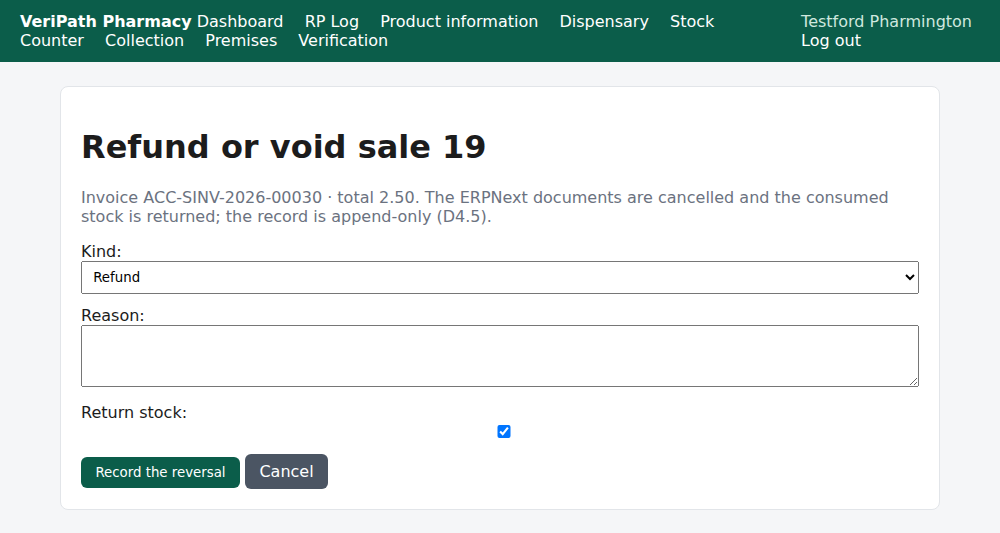
The reversal screen for a completed sale on the test pharmacy, 6 October 2026, as the Responsible
Pharmacist: the sale's invoice and total at the top, then the three decisions — Kind, Reason and
Return stock — and the Record the reversal button.
| Field | What it decides |
|---|---|
| Kind | Refund — the goods came back. Void — the sale should never have stood. |
| Reason | Why. Required, and stored on the reversal. |
| Return stock | Whether the goods go back into stock. Ticked by default; untick it when they are not coming back. |
¶ Step 2: Record the reversal
Fill the three fields in and press Record the reversal.
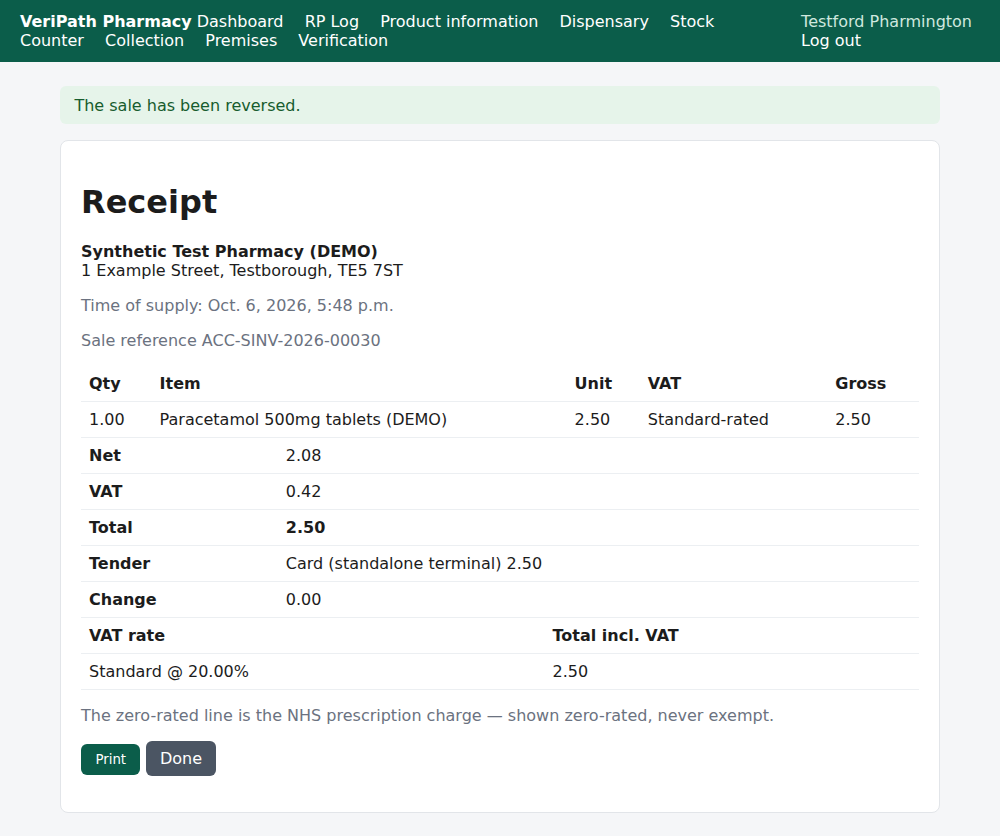
The reversal recorded: the app reports The sale has been reversed. It shows the receipt again as you
left it, with the sale's own figures and the tender intact under the reversal.
What has happened behind the screen:
- the sale's documents are cancelled in the books — the payment, then the invoice;
- the stock for the goods, where they came back, is returned to the batch it was sold from, as an
adjustment with the reason refund; - the reversal is recorded on the sale with its kind, amount, reason and your name, and the act is
audited; - the sale's status becomes Voided.
¶ Step 3: What the sale reads now
The sale's own page is where the reversal is legible afterwards.
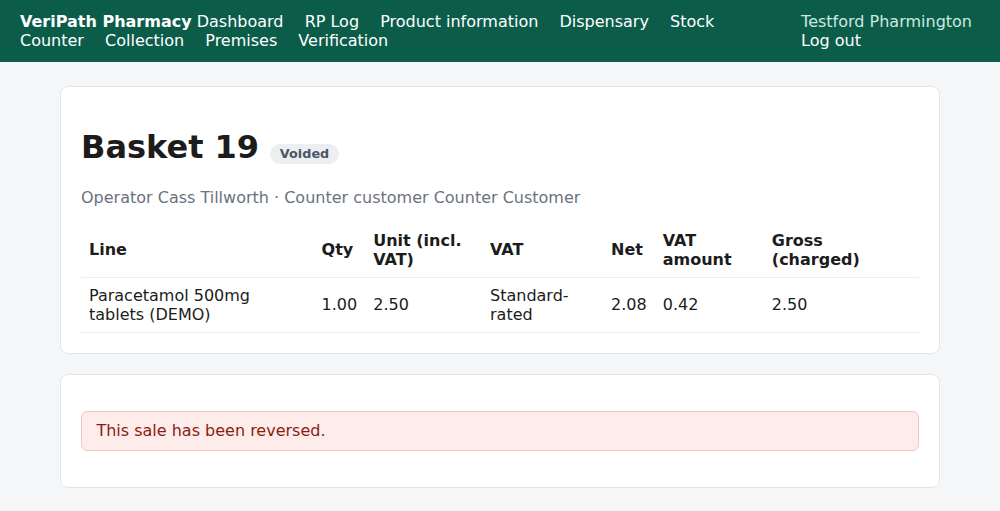
The same sale afterwards: it reads Voided at the top and This sale has been reversed. in place of
the counter actions. Its lines and figures are still there — nothing has been rewritten.
The takings view lists the reversal as well, under Recent refunds and voids, with the sale, the kind,
the amount, who recorded it and the reason (see D6).
¶ When something is not right
| What you see | What to do |
|---|---|
| Only a completed sale can be refunded or voided. | The sale you opened is not a completed sale — it is a basket, or a sale still awaiting tender. Take the tender, or leave the basket alone; there is nothing to reverse yet. |
| A reason is required to refund or void a sale. | The reason box is empty. Write what happened — a real sentence, not a label. |
| The refund could not be completed. Please try again. | The reversal did not finish, so nothing has been cancelled. Try again; if it keeps failing, tell the business manager before you do anything else. |
| The reversal was recorded by mistake | It cannot be undone. Sell the items again as a new sale — the reversed sale stays in the history as the record of what happened. |
| The money has to go back to the customer | The app reverses the record: the documents are cancelled and the sale stops counting. Handing the money back is a physical act at the till — and because the reversed sale no longer counts, the day's expected cash drops with it. |
| The customer keeps the goods | Untick Return stock before you record the reversal, so the stock does not go back on the shelf. |
| Someone asks who reversed a sale | The takings view lists the reversal with the name of whoever recorded it; the act is audited as well. |
| You are not a pharmacist or the business manager | The screen is not yours: the counter's sale page does not offer the button, and the reversal screen refuses anyone else. Ask the pharmacist or the business manager to do it. |
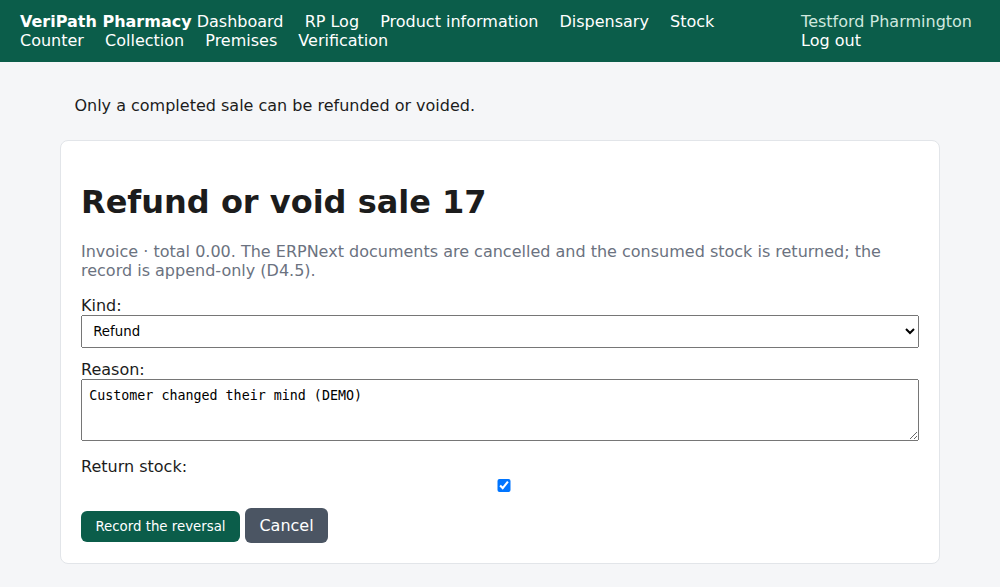
The guard in action: point the reversal at something that is not a completed sale — here an open basket —
and the app refuses, Only a completed sale can be refunded or voided., leaving it untouched.
¶ What happens next
- D6 — the till and the day's takings. Where the reversal shows in the session's figures, and why the
expected cash moves. - D4 — give the customer a receipt. A reversed sale's receipt still prints; the reversal shows on the
sale's page, not on the receipt. - D3 — take payment and close the sale. The path that produced the sale being reversed.
¶ Related pages
- Pharmacy App Guides — the published guides
- Counter — Take Payment and Close the Sale — D3, completing a sale
- Counter — Give the Customer a Receipt — D4, the customer's copy
- Coverage Plan — every everyday task, and what is published
- Roles and Permissions in the Pharmacy App