¶ Dispensing — Release or Cancel a Claim
¶ What you'll be able to do
After reading this guide you will be able to hand a prescription back instead of dispensing it (release the
claim), or record that it must not be dispensed at all (cancel it) — and you will know which of the two
fits the job in front of you.
Who does this? Both actions are dispensary work: a Responsible Pharmacist and a Dispensing
Technician are both offered them. The role is checked by the app when the action is submitted, not just when
the page is drawn.
¶ The two actions are not the same thing
They sit next to each other on the prescription and they are easy to confuse, so it is worth being clear about
what each one does:
| Release claim | Cancel token | |
|---|---|---|
| What it is for | The prescription should not be dispensed here — the patient has gone elsewhere, or it has gone back to the prescriber. | The prescription itself has been withdrawn and is not to be dispensed at all. |
| What you must give | A reason — the app will not release without one. | A reason — optional, and the box is labelled for an upstream withdrawal. |
| What happens to it | The claim goes back to the spine and the prescription can be claimed again — here, or by another pharmacy. | The prescription is closed: it reads Cancelled and will never be dispensed. |
| Where it ends up | Back to Available; it leaves In progress. | Cancelled; it stays in the record for good. |
Two limits worth knowing before you need them:
- Neither action is available once the prescription has been dispensed. From Dispensed the only step
left is the endorsement (see Endorse a Prescription),
and a dispensed prescription can no longer be cancelled. - Release is offered only while the prescription is Claimed or Assembled. Once the accuracy check has been
recorded, release is no longer on offer and Cancel is the only way to stop it. If you may need to hand the
prescription back, do it before the check.
¶ Before you start
- Decide which of the two you are doing. One puts the prescription back into circulation; the other ends it, and
a cancel cannot be undone by anyone. If you are not sure which applies, this is a question for the
pharmacist rather than a guess. - The prescription must be in a state that offers the action — release while Claimed or Assembled,
cancel in any state before dispensing. - Have your reason ready: it is recorded against the step, with your name and the time.
¶ Step 1: Open the prescription
- Log in to the pharmacy app.
- Click Dispensary in the top menu.
- Under In progress, find the prescription and click Open.
The two actions are at the foot of the prescription, in the Release or cancel card. Each has its own reason
box and its own button — they are deliberately separate, so releasing cannot be done by accident while
cancelling.
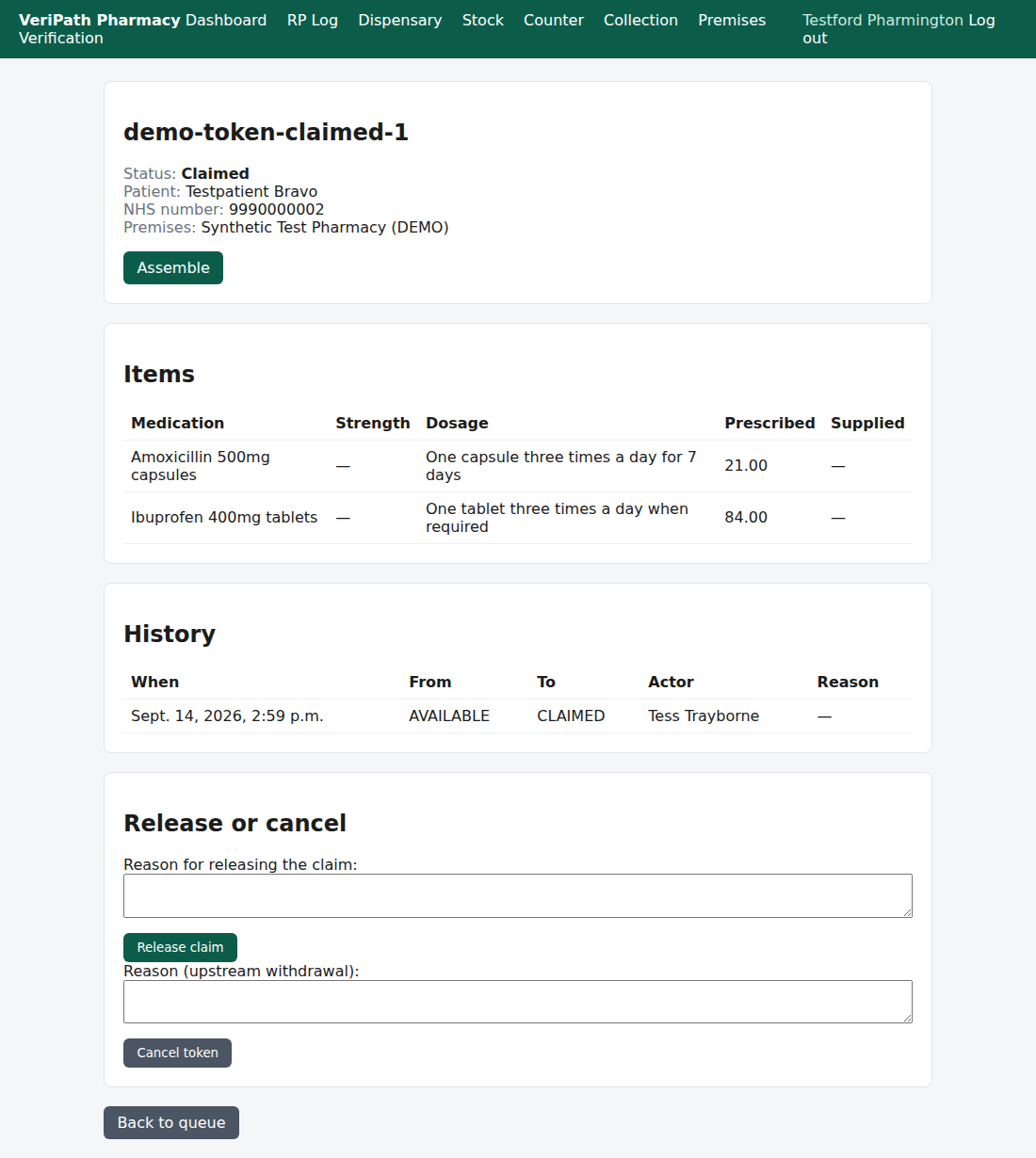
A prescription that is still with the pharmacy. At the foot of the page is the Release or cancel card:
Reason for releasing the claim with its Release claim button, and Reason (upstream withdrawal) with
its Cancel token button.
¶ Step 2: Release a claim — hand it back
- Type the reason into Reason for releasing the claim. The app will not release without one.
- Click Release claim.
- You are returned to the dispensary queue with a green banner: "Claim released; the token is available
again." - The prescription leaves In progress. It is Available at the spine again, and it can be claimed again
— by this pharmacy, or by another one. The release stays in its history, with your reason and your name.
The app checks the prescription's own state before it contacts the spine, so a release that is not allowed
never half-happens: either the claim is released, or nothing has changed.
If the spine cannot be reached you will see "Could not release the claim at EPS. Please try again." —
nothing has changed here: the prescription is still this pharmacy's and still reads Claimed. Try again;
if it keeps failing, tell your Business Manager.
¶ Step 3: Cancel a token — record that it must not be dispensed
- Type the reason into Reason (upstream withdrawal) if you have one — that is what the box is for. It is
optional; the app will cancel without it. - Click Cancel token.
- You are returned to the queue with a green banner: "Token cancelled."
- The prescription now reads Cancelled and offers no actions at all — it has been stopped, and it stays
in the pharmacy's record.
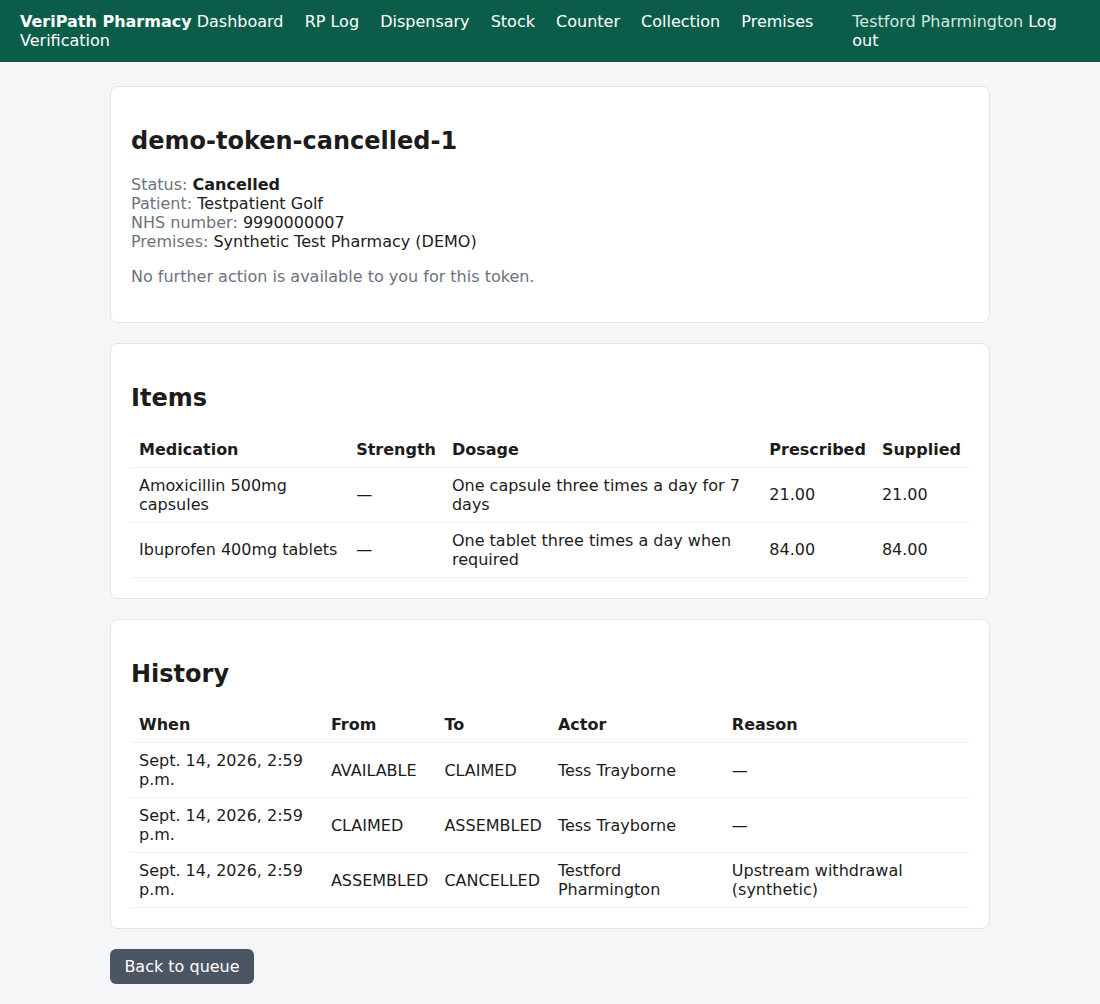
After a cancellation: the state reads Cancelled, the history records the move to CANCELLED with the
reason that was given and the name of whoever made it, and the prescription has no action left of any kind. Note
that a cancelled prescription keeps everything that happened before it was stopped — the assembly is still
there — because it is part of the record.
¶ The Technician's view
Release and cancel are the two dispensary actions that are not the pharmacist's alone, and the app is
consistent about it: a Dispensing Technician sees both controls, and submitting them works, because the check is
made by the app against the prescription's state and the person's role rather than by hiding buttons.
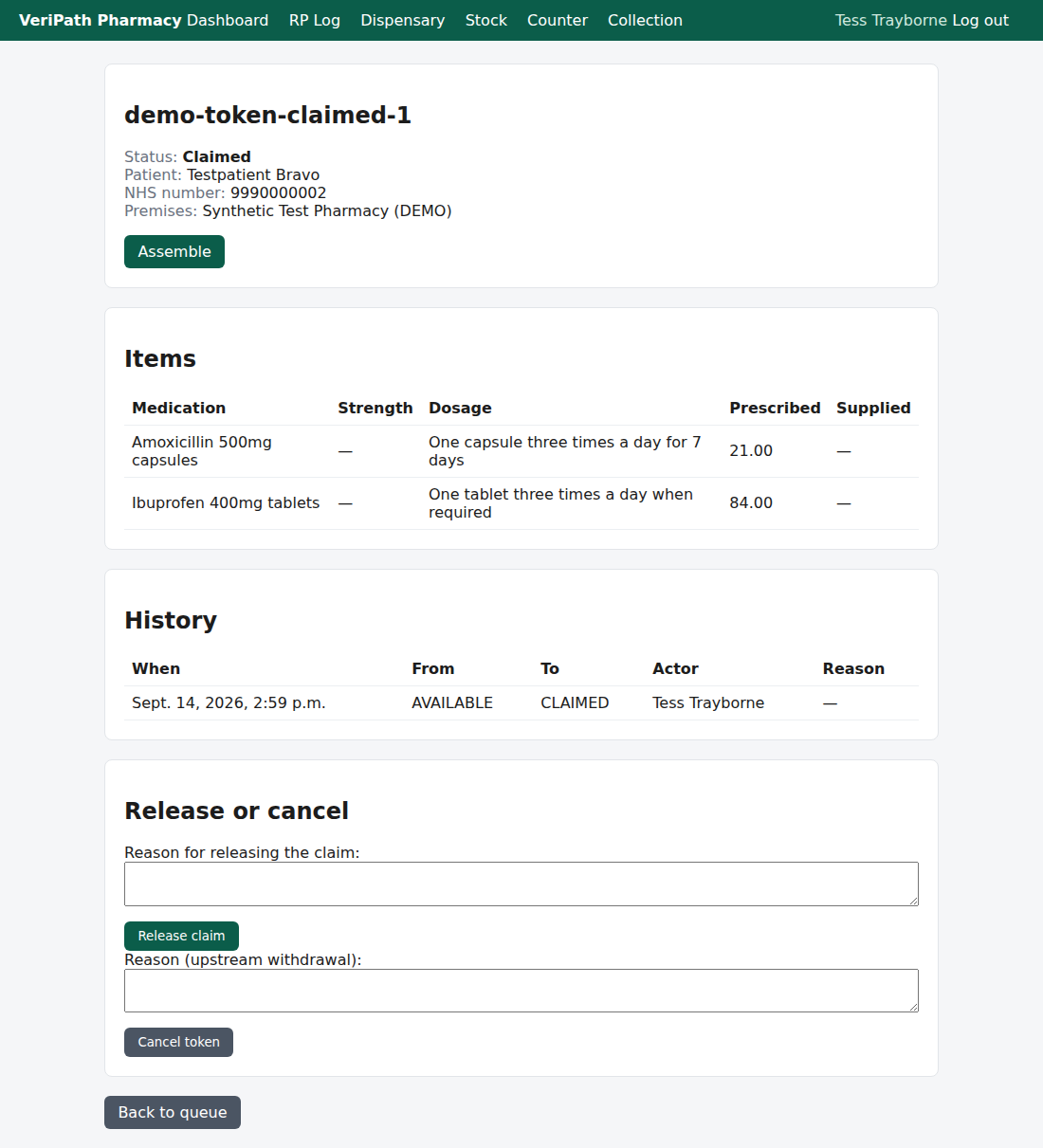
The same prescription opened by a Dispensing Technician: the same Release or cancel card, and the same two
actions. What a technician never gets is the clinical steps — the accuracy check, the dispense and the
endorsement.
¶ If it doesn't work
| What you see | What it means |
|---|---|
| "A reason is required to release a claim." | Release needs a reason. Nothing was released — type one and press Release claim again. |
| "This claim cannot be released in its current state." | The prescription has moved on: its accuracy check has been recorded, or it has been dispensed or cancelled. Nothing was released. Read the History on the prescription to see where it got to. |
| "Could not release the claim at EPS. Please try again." | The spine did not answer. Nothing changed here — the prescription is still yours. Try again; if it keeps failing, tell your Business Manager. |
| "cancel requires the token to be AVAILABLE or CLAIMED or ASSEMBLED or CHECKED (it is DISPENSED)." | The prescription has already been dispensed, and a dispensed prescription cannot be cancelled. |
| No Release or cancel card at all | There is nothing to release or cancel: the prescription has been dispensed (only the endorsement is left) or cancelled (nothing at all is left). |
| Release claim is missing but Cancel token is there | Release is only offered while the prescription is Claimed or Assembled — once it is accuracy checked, cancel is the only way to stop it. |
| The prescription has disappeared from In progress after a release | That is the point of a release: it is no longer the pharmacy's to work on. It has gone back to the spine and can be claimed again. |
¶ What the record keeps
- A release leaves a history row recording the move from Claimed or Assembled to RELEASED, with
the reason and your name — while the prescription's own status goes back to Available so it can be claimed
again. The claim's working details are cleared from the prescription for the next claim, but the release stays
visible in the history. - A cancellation leaves a history row recording the move to CANCELLED, with the reason if one was given,
the name of whoever made it and the time. The status is Cancelled for good. - Either way there is an audit entry for the action and the person, with no clinical content, and names are
recorded as they were at the time. Nothing here can be edited afterwards — a released or cancelled
prescription is corrected by what happens next, not by rewriting the past.
¶ Related
- Dispensing — Claim a Prescription — where a prescription
enters the dispensary, and what a claim means - Dispensing — The Accuracy Check — the step after which release
is no longer offered - Dispensing — Dispense a Prescription — after which
neither action is available - Dispensing — Endorse a Prescription — the last step in
the dispensary - Dispensing — Dispensing History — where a cancelled
prescription can be looked up afterwards - Coverage Plan — the guides and what is left to write