¶ State-Backed Co-payment Splitting
¶ What you'll be able to do
After reading this guide you will understand how VeriPath Dental automatically splits a payment into the NHS (state) share and the patient share when an FP17 claim is accepted. You will learn what the split is based on, how to trigger it from an accepted claim, and what happens to the ledger transaction and the claim afterwards.
Who does this? Practice managers and dental admins reconcile accepted FP17 claims. The split itself is calculated automatically by the system — you trigger it with one button.
Related guide: for the claim journey up to acceptance, see State-Subsidised FP17 Claim Submission. For private (non-NHS) payments, see Private Ledger Billing.
¶ About the co-payment split
NHS dental treatment is part-funded by the state. When an NHS claim is accepted, the treatment cost is shared between:
- The NHS (state) reimbursable share — the NHS band charge for the treatment, which the health authority covers.
- The patient contribution — the remainder of the total transaction, which is the patient's responsibility.
VeriPath Dental calculates this split automatically from the claim's NHS band charge and the appointment's total transaction amount:
| Component | How it is calculated |
|---|---|
| NHS reimbursable share | The NHS band charge for the claim's band |
| Patient contribution | Total transaction − NHS share |
Current NHS band charges (2025/26): Band 1 £26.80, Band 2 £73.50, Band 3 £319.10.
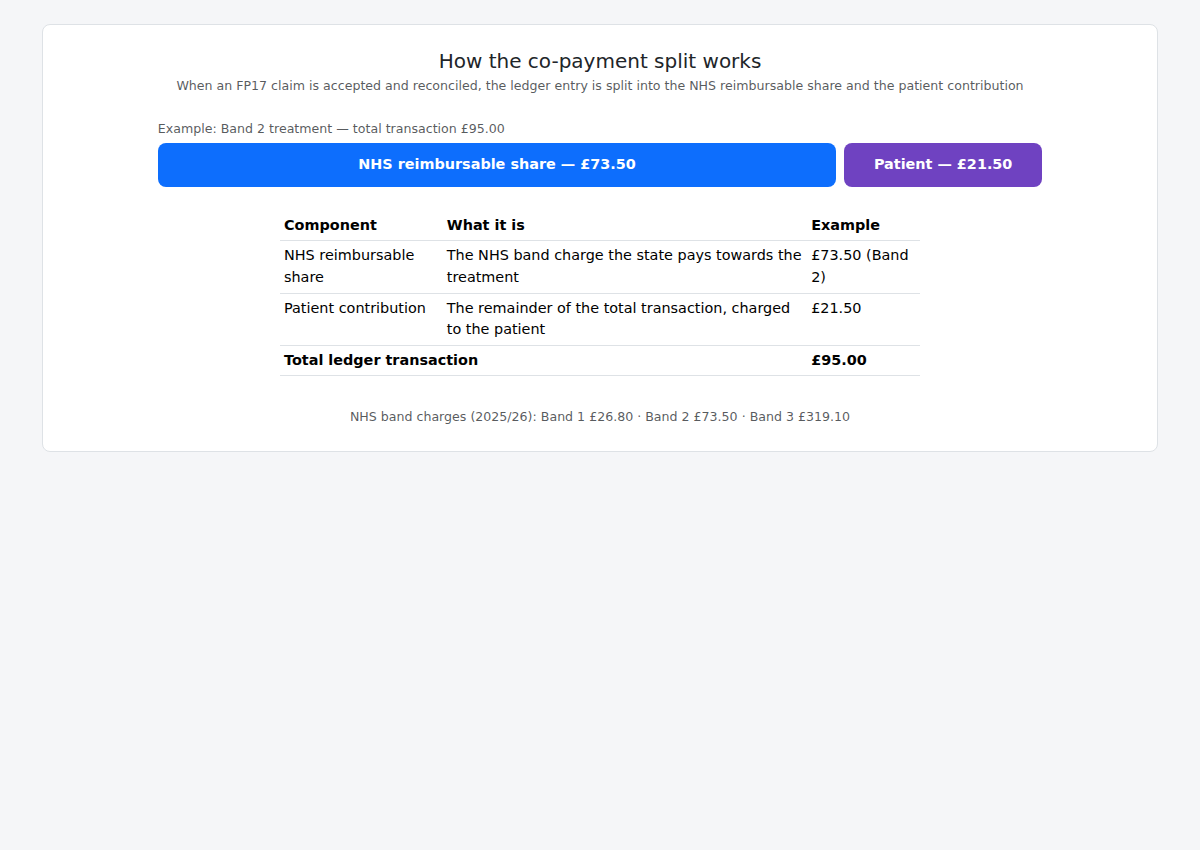
In the example above, a Band 2 treatment with a £95.00 total transaction splits into a £73.50 NHS share and a £21.50 patient contribution.
¶ Step 1: Find the accepted claim
- Log in to VeriPath Dental.
- Click FP17 in the top navigation bar.
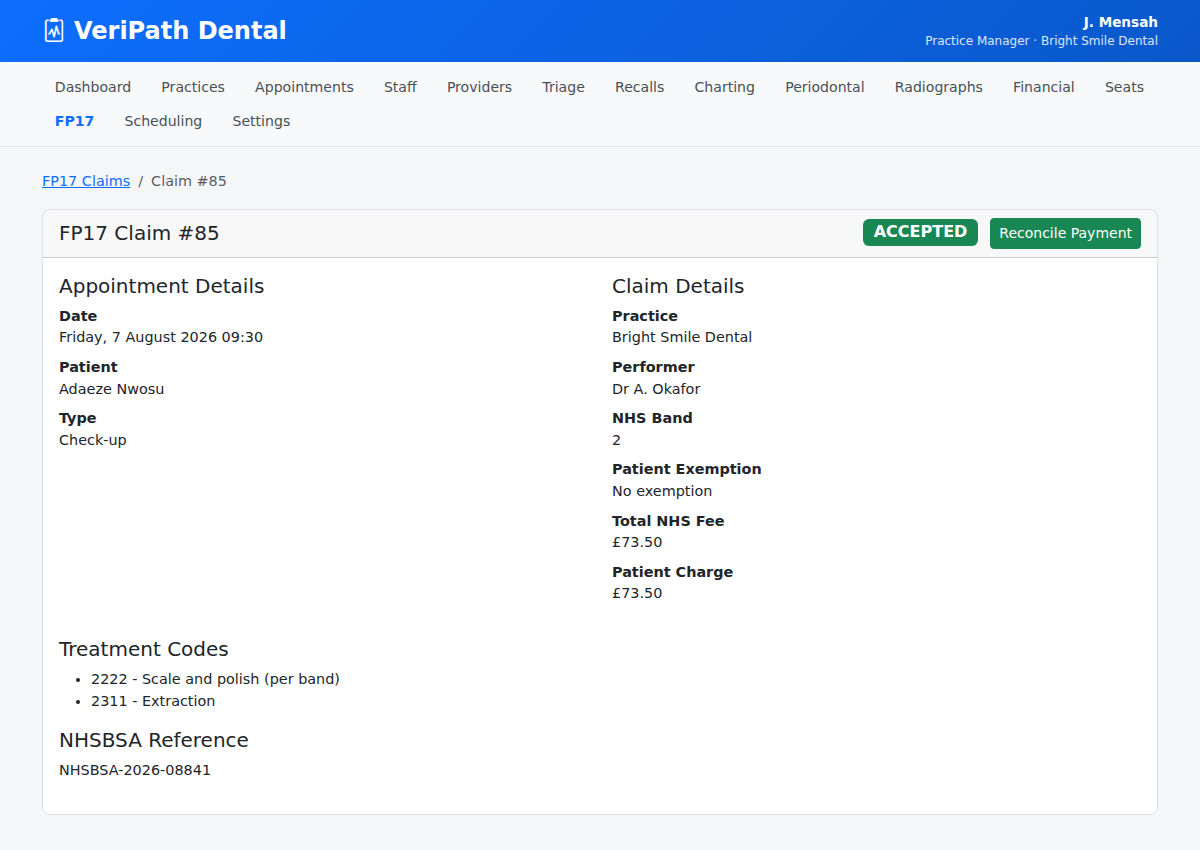
- Open the claim you want to reconcile. It must be in the ACCEPTED status — the split only applies to accepted claims.
¶ Step 2: Trigger the reconciliation
On the accepted claim, click Reconcile Payment.
The system:
- Calculates the split using the claim's band charge and the appointment's transaction.
- Updates the ledger transaction's payment status:
- PAID — if the patient share covers the full transaction, or
- PARTIAL — if only part of the total was the patient's share.
- Records the split on the claim — patient share and NHS reimbursable share — in the claim's reconciliation record.
- Logs a RECONCILED event in the claim's diagnostic log.
- Creates the invoices in ERPNext — an NHS Reimbursable invoice to the payer "NHS" for the NHS share, and a Patient Co-payment invoice to the patient for their share (see Invoicing (ERPNext)). Both are submitted in ERPNext and show as Sent in the Invoices list.
¶ Step 3: Check the result
After reconciling:
- The transaction's status has moved on (PARTIAL or PAID) in the ledger.
- The claim now carries the reconciliation figures (patient share and NHS reimbursable share) in its response record, so the split is auditable.
- Two invoices have been created in ERPNext — one to "NHS" for the reimbursable share and one to the patient for their contribution — both visible in the Invoices list.
¶ Useful tips
- Reconcile only ACCEPTED claims — the button only appears once the claim is accepted; the split is not applied to drafts or submitted-but-unanswered claims.
- The band charge drives the NHS share — the NHS reimbursable share is exactly the band charge (Band 1, 2 or 3), so make sure the claim's band is correct before submitting.
- The split is automatic — you don't enter the two figures yourself; the system calculates them and records them for you.
- Reconciling also raises the invoices — the accepted claim produces two ERPNext invoices in one go (NHS share + patient share), so there is no separate invoicing step to remember.